


Path of Exile 2 Guide How to Fix POE2 Map Device Not Working
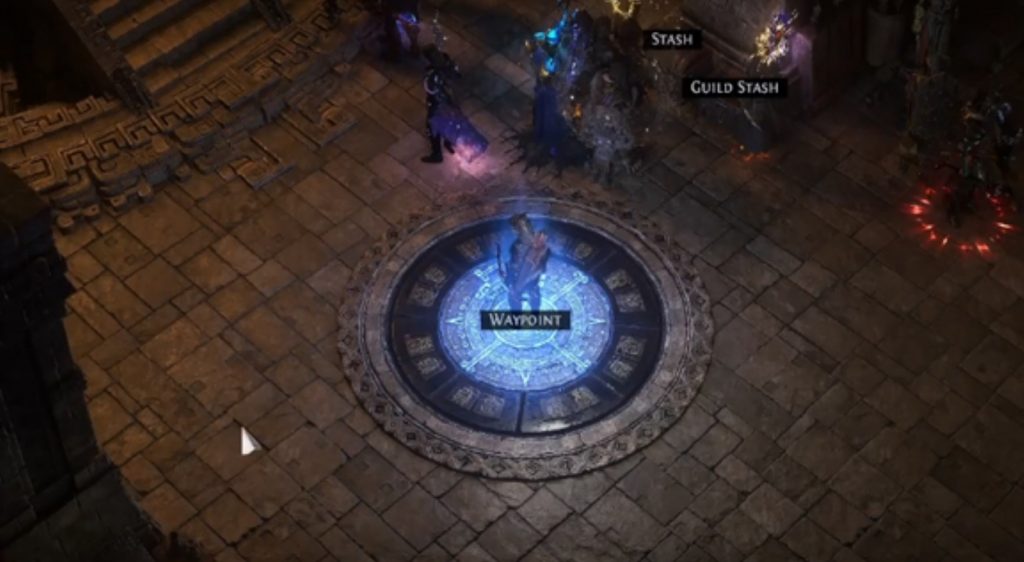
Path of Exile 2 (POE2), released on December 6, 2024, quickly became a fan favorite for action role-playing game enthusiasts. However, like any new release, players have encountered a few bugs, one of the most frustrating being the Map Device not working. The Map Device is a vital feature that allows players to access different areas and dungeons, offering an essential part of the game’s progression. If you’re facing this issue, don’t worry—we’ve got some troubleshooting methods to help you get your Map Device working again.
Troubleshooting Methods to Fix POE2 Map Device Not Working
If the Map Device isn’t functioning as expected, try the following steps to resolve the issue:
1. Respawn in the Map Device Area
One of the most common fixes for the POE2 Map Device not working is simply respawning in the Map Device area. This method works for many players experiencing a bug preventing the device from being activated.
Here’s what you need to do:
- Step 1: Go to the Way Point in your current area.
- Step 2: Open your map and select the Map Device location again.
- Step 3: Once selected, click Enter, which should respawn you at the Map Device area.
If this doesn’t work the first time, try respawning multiple times to see if the issue resolves itself. The bug may be tied to the initial spawn point, and repeated respawns could fix it.
2. Spawn to Another Location
If respawning directly at the Map Device area doesn’t solve the problem, try spawning to another location on the map before returning to the Map Device area.
Here’s how:
- Step 1: Go to the Way Point and select a different location on the map.
- Step 2: Click Enter to teleport you to that location.
- Step 3: Spend a few seconds walking around in this new location, then return to the Map Device area.
Some players on Reddit have shared that this method successfully resolved their issue. It’s worth trying as a backup if the first method doesn’t work.
3. Restart the Game
Sometimes, simply restarting Path of Exile 2 can resolve issues caused by temporary glitches or bugs in the game. Follow these steps to restart:
- Step 1: Close the game completely.
- Step 2: Open the Task Manager (Ctrl + Shift + Esc on Windows).
- Step 3: Look for the POE2 game process under the Processes tab, right-click on it, and select End Task.
- Step 4: Wait for a few moments and relaunch the game to check if the issue is resolved.
4. Verify Game Files
Corrupted or missing game files can cause functionality issues with the game, including problems with the Map Device. Steam offers a handy way to verify the integrity of your game files, which can help fix any issues caused by corrupted data.
To verify game files:
- Step 1: Open the Steam client and navigate to your Library.
- Step 2: Right-click on Path of Exile 2 and select Properties.
- Step 3: Go to the Installed Files tab and click on Verify Integrity of Game Files.
- Step 4: Wait for the verification process to complete. Once done, check to see if the Map Device is functioning correctly.
The Map Device not working issue in Path of Exile 2 is a known bug, but it can be easily resolved with the right troubleshooting steps. Start by respawning in the Map Device area or spawning to another location to see if that fixes the problem. If these methods don’t work, restarting the game or verifying the integrity of your game files through Steam can help. Remember that these issues are often temporary, and with a bit of patience and persistence, you’ll be back to exploring the vast world of POE2 in no time.
GuidePath of Exile 2POE 2