


How To Upload Guild Image ID in Sailor Piece Guide
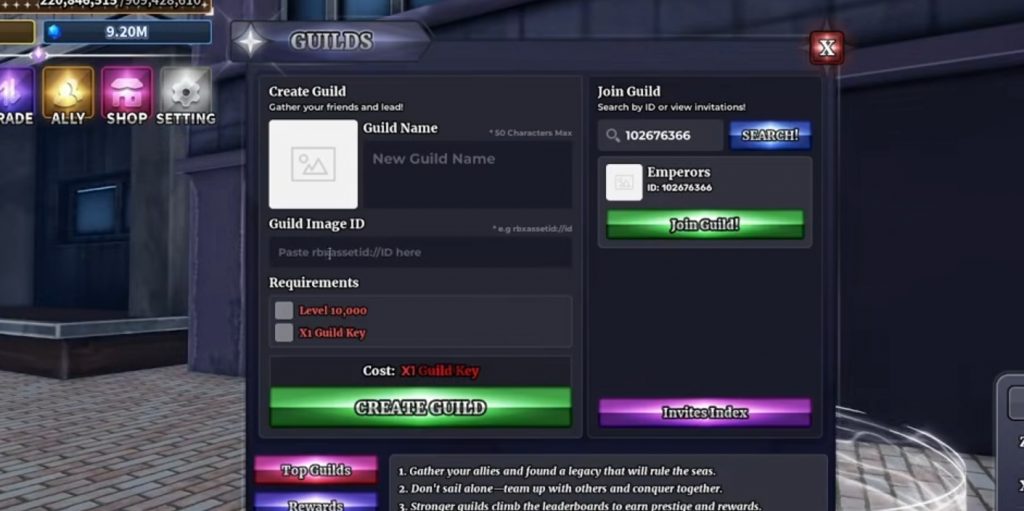
Customizing your guild in Sailor Piece makes it stand out, especially when you add your own image or logo. However, many players get stuck at one point—figuring out how to get and use an Image ID correctly. The process is actually simple once you understand how Roblox decals work. This guide will walk you through everything step by step so you can upload your own guild image without confusion. Also check out our Sailor Piece Codes for more rewards!
What Is a Guild Image ID?
A Guild Image ID is basically a Roblox asset ID taken from a decal (2D image).
- It’s a string of numbers
- Each decal on Roblox has its own unique ID
- You paste this ID into Sailor Piece to display your image
Without the correct ID, your guild image won’t show properly.
How To Get an Image ID from Roblox
If you want to use an existing image, follow these steps:
- Go to the Roblox website
- Navigate to the Avatar Shop or Create section
- Look for 2D assets (Decals)
- Pick any image you like
- Open the decal page
Now check the URL.
Important:
- The numbers in the URL are the Asset ID
- Example:
roblox.com/library/123456789/... - The number 123456789 is the ID you need
Copy that number.
How To Upload Your Own Guild Image
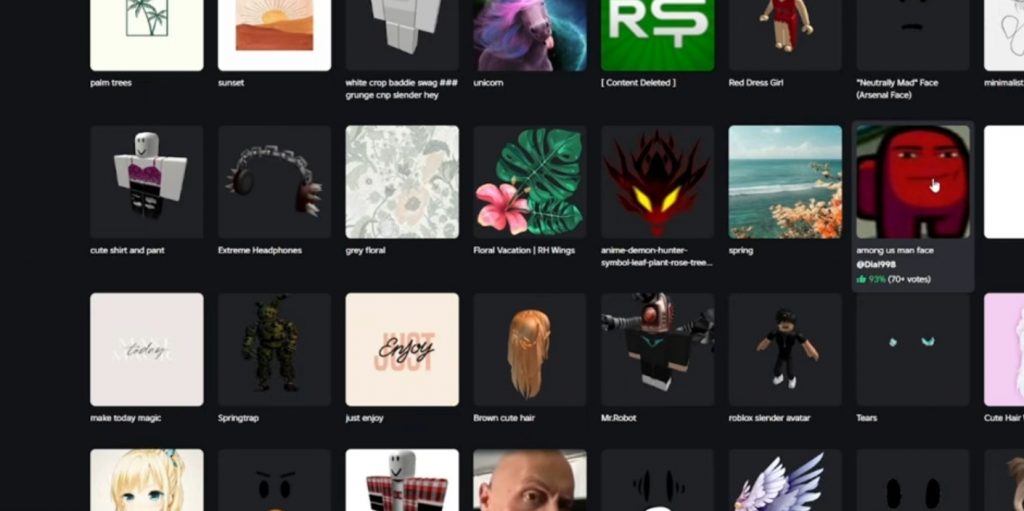
If you want a custom logo instead of using public decals, you can upload your own.
- Go to Create on Roblox
- Open Development Items
- Click on Decals
- Upload your image file
- Wait for it to finish processing
Once uploaded:
- Open your decal
- Copy the Asset ID from the URL
How To Use the Image ID in Sailor Piece
After getting your Asset ID, you’re ready to use it in-game.
- Open your guild settings in Sailor Piece
- Find the Image ID input box
- Paste the Asset ID
- Confirm or save
If done correctly, your guild image will update instantly.
Tips for Better Guild Images
If you want your guild to look more unique:
- Use clean, high-resolution images
- Avoid overly detailed designs (they may look messy in-game)
- Try simple logos or icons
- Test different decals before deciding
Custom images can make your guild easier to recognize, especially in competitive play.
Uploading a guild image in Sailor Piece might seem confusing at first, but it all comes down to getting the correct Asset ID. Whether you use an existing decal or upload your own, the steps are straightforward once you know where to look. Take a few minutes to set it up properly, and your guild will instantly feel more personal and unique.
Sailor Piece