


Project Wheelie Testing Beginner Guide: How to Wheelie, Controls, Settings, and Tips
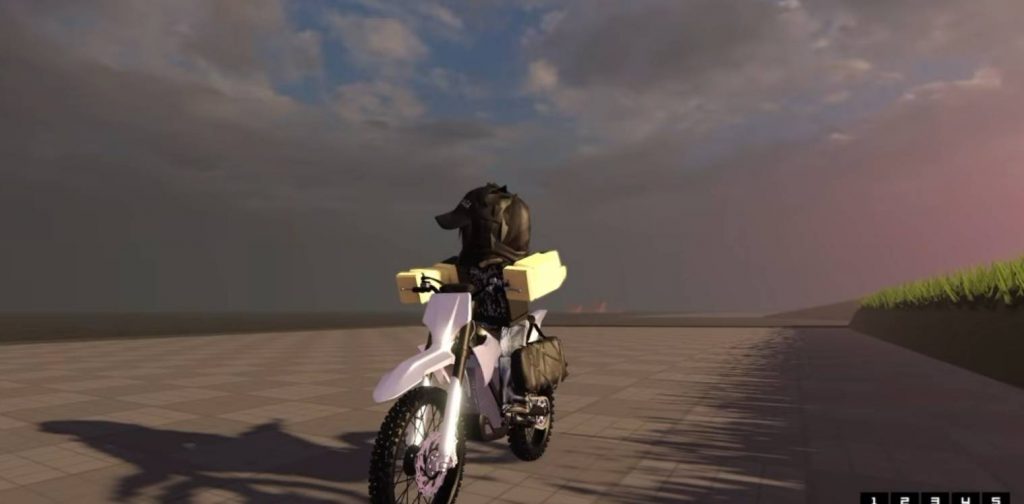
Project Wheelie Testing has quickly become one of the most popular motorcycle games on Roblox thanks to its realistic riding physics and satisfying wheelie mechanics. Unlike many arcade-style bike games, this one requires good balance, throttle control, and practice to master long wheelies and advanced tricks. If you’re just starting out, this guide explains everything you need to know, including the controls, useful settings, how to perform a wheelie, and several tips that will help you improve much faster.
Learn the Game Settings First
Before heading onto the road, spend a few minutes checking the Settings menu. Several options change how your rider behaves, and choosing the right setup can make controlling your bike much easier. Some of the most useful settings include:
- Hand Animations
- Head Movement
- Wheelie Counter Lean
- Rider Lean options
- Camera settings
Most of these settings are personal preference, so don’t be afraid to experiment until the bike feels comfortable.
Should You Enable Wheelie Counter Lean?
One important option is Wheelie Counter Lean.
When enabled, your rider automatically leans against turns while performing a wheelie, making steering feel more natural and stable.
With the option disabled, the bike reacts differently while turning, giving you more manual control but requiring better balance.
For most beginners, keeping this setting enabled is recommended because it makes long wheelies easier to control.
How to Wheelie
The main goal of Project Wheelie Testing is learning how to keep the front wheel off the ground without flipping over.
A basic wheelie works like this:
- Build up a moderate amount of speed.
- Activate the wheelie control.
- Hold steady throttle.
- Find the bike’s balance point.
- Make small throttle adjustments to stay balanced.
The biggest mistake new players make is accelerating too hard. Instead of holding maximum throttle, gently adjust your speed until you find the sweet spot where the motorcycle stays balanced.
PC Controls
If you’re playing on PC, you’ll mainly use the keyboard for riding.
Basic controls include:
- W – Accelerate
- Wheelie Key – Lift the front wheel
- Wheelie Key Again – Lower the front wheel
- C – One-Handed Wheelie
- X – Knock-Knock Trick
Learning when to lower the front wheel is just as important as learning how to lift it.
Controller Controls
Controller support is also available.
To perform a wheelie:
- Press the D-Pad Up (or the assigned wheelie button depending on your controller layout).
Once the front wheel is raised, carefully control the throttle to maintain your balance.
Console controls may change while the game is still in testing, so always check the current control layout if something feels different.
How to Balance a Wheelie
Balancing is what separates beginners from experienced riders.
Keep these tips in mind:
- Avoid holding full throttle.
- Make small acceleration adjustments.
- Don’t lean too far backward.
- Lower the front wheel if you start losing control.
With enough practice, balancing becomes much easier and you’ll be able to ride much longer distances on one wheel.
How to Gain More Speed While Wheelieing
Many players notice that their bike slows down during a wheelie.
To maintain speed:
- Keep the front wheel slightly lower instead of pointing straight upward.
- Continue adjusting the throttle instead of holding it fully.
- Maintain your balance point without over-rotating.
A lower wheelie angle usually allows you to travel much faster while staying stable.
How to Perform a Stoppie
Besides wheelies, Project Wheelie Testing also lets you perform stoppies.
To do one:
- Build up high speed.
- Apply the front brake.
- Shift your weight correctly.
- Balance the motorcycle on the front wheel.
Timing is important, so don’t expect to master stoppies immediately.
Enable Traffic for Better Practice
Once you’re comfortable riding, enable Traffic to make the roads feel more realistic.
Driving through traffic helps you improve:
- Steering accuracy
- Reaction time
- Lane changes
- Wheelie control while turning
Practicing around moving vehicles is much harder than riding on empty roads, making it a good way to improve your overall bike handling.
Practice on the Highway
The highway is one of the best places to learn because it offers longer stretches of road with fewer interruptions.
Use it to practice:
- Long-distance wheelies
- Speed control
- Smooth steering
- Passing traffic
- Recovering from unstable wheelies
The more time you spend on open roads, the more comfortable you’ll become with the game’s realistic physics.
How to Do a Burnout
Burnouts are another fun mechanic available in the game.
To perform one:
- Hold the reverse input.
- Accelerate at the same time.
- Keep both inputs held until the rear tire starts spinning.
It’s mainly a cosmetic trick, but it’s a fun way to show off before starting a ride.
Project Wheelie Testing focuses on realistic motorcycle handling, so don’t expect to master every trick in just a few minutes. Learning the balance point of your bike, using the right settings, and practicing on open roads will gradually improve your control. Once you become comfortable with standard wheelies, you can move on to advanced tricks like one-handed wheelies, knock-knocks, stoppies, and weaving through traffic with confidence.
Project Wheelie Testing