


Ghost Driver New Update Guide: Limited GT2, Nitrous Purge, Customization and New Code!
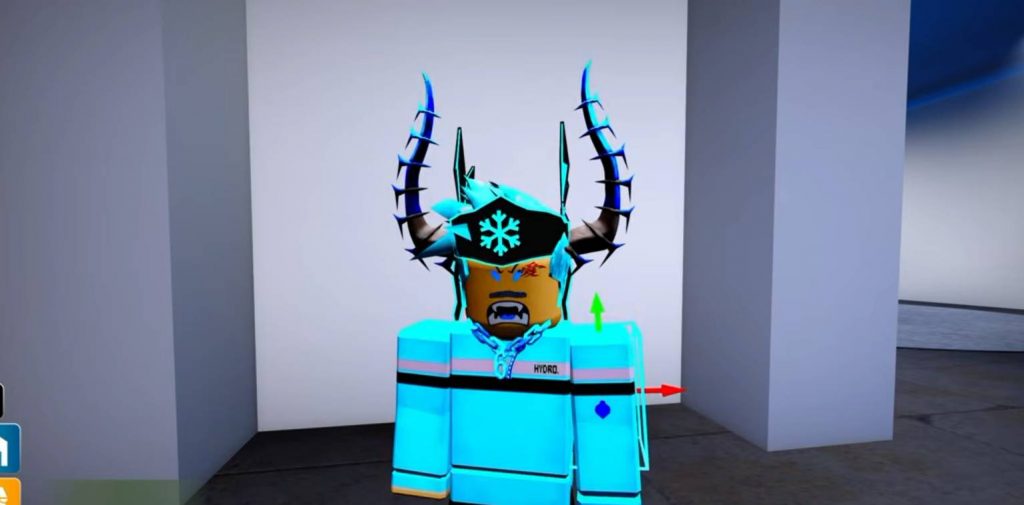
Ghost Driver has received a new update with several additions for players who enjoy collecting cars, improving their builds, and showing them off at car meets. The biggest addition is a new limited GT2 vehicle, but there are also new customization options, a nitrous purge feature, a radial menu, improved sounds, new materials, and a fresh cash code.
If you are returning to Ghost Driver after some time away, there are several things worth checking as soon as you enter the game. Here is a full guide covering the important parts of the new update and what you should do first.
Get the Limited Granadino Toscanero GT2
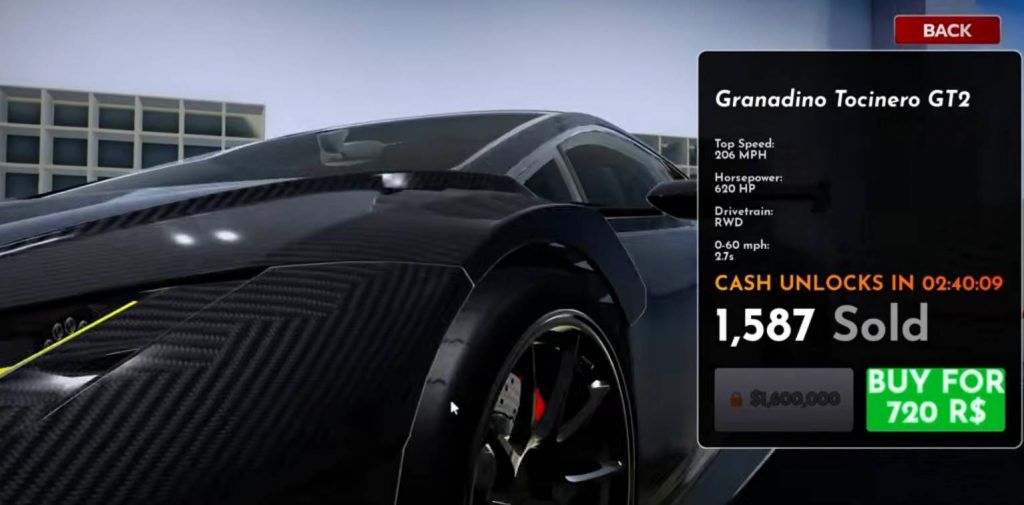
The first thing you should check after joining the updated version of Ghost Driver is the new Granadino Toscanero GT2. This vehicle is being sold as a limited car, meaning it will only be available for a certain period.
The developers have not provided a clear removal date in the update information, so it is better not to wait until the final day. Limited vehicles can become much harder to obtain once they leave the dealership, especially if you are trying to collect every car in the game. To check for the GT2:
- Join a fresh Ghost Driver server.
- Open the dealership.
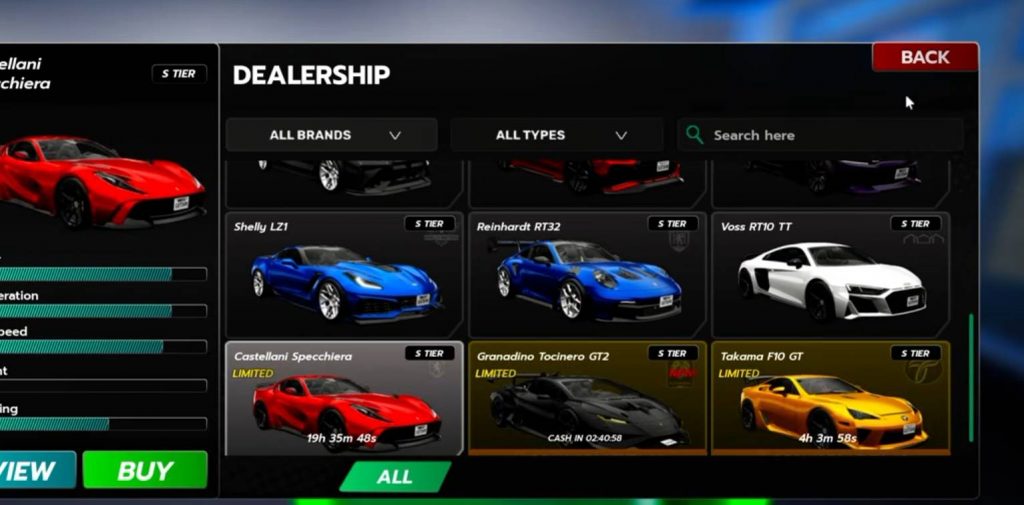
- Look for the Limited Vehicles section.
- Find the Granadino Toscanero GT2.
- Check the current price.
- Make sure you have enough cash before purchasing it.
If the GT2 is not appearing, you may have joined an older server that has not updated properly. Leave the experience and join again through the Roblox game page.
However, do not spend every dollar you have on the GT2 if you still need money for performance upgrades. Having the limited car is useful for your collection, but you should still have enough cash to make it competitive on the road.
How to Use the Nitrous Purge
One of the more noticeable additions in this update is the new nitrous purge system. This feature allows your car to release the stored nitrous through the purge outlets, creating a large cloud effect around the vehicle.
The purge is mainly useful for visual effects rather than directly improving your car’s performance. It can be especially fun during car meets, screenshots, videos, or while waiting at the starting line of a race. To test the purge:
- Get inside your vehicle.
- Open the controls or radial menu.
- Find the nitrous purge option.
- Activate it while your car is stationary.
- Test the effect from different camera angles.
There is no reason to assume the purge itself gives you additional acceleration or horsepower unless the game specifically indicates that it does. For now, treat it as a customization and showcase feature.
Learn the New Radial Menu
The new radial menu makes it easier to access several vehicle controls without having to remember a long list of different buttons. Instead, supported actions can be placed inside one menu that you can open while driving.
Before taking your car onto the highway, open the radial menu while parked and check what options are available. Depending on your vehicle and setup, the available controls may be different.
You should especially look for:
- Nitrous purge.
- Horn controls.
- Other vehicle functions.
- Customization-related actions.
Learning the menu while parked will save you from trying to figure it out while driving at high speed. It is much easier to prepare your controls first and then focus on racing.
Customize Your Window Stickers
Window stickers have also received changes in the new update. If you already had stickers equipped before the update, check them again after joining a new server.
The updated system can affect how stickers appear on your vehicle. Some players may notice changes in positioning, scaling, or how the stickers are displayed across the windows.
If one of your old stickers looks strange after the update, try removing it and applying it again. This can help fix placement issues and give you a chance to adjust the design.
Customize Your Car Horn
Ghost Driver also gives players more control over their vehicle horns. While this does not improve your speed or handling, it adds another way to make your car feel different from other players’ builds.
Open the customization menu and look for the horn section. From there, you can preview the available options before choosing one for your vehicle.
A custom horn can be a small detail, but it makes a difference during car meets where several players may be showing off similar vehicles. Just make sure you actually like the sound before equipping it, because you may hear it quite often.
Try the Improved Supercharger Sounds
Players with supercharged vehicles should also test the updated audio. The developers have made changes to the supercharger sounds, giving these vehicles a different audio experience compared with the previous version.
After the update, try your car in several situations:
- Rev the engine while stationary.
- Accelerate from low speed.
- Drive at higher speeds.
- Switch between camera views.
- Test both exterior and interior perspectives.
Audio can sound different depending on your camera position, so testing your car from multiple views is the easiest way to hear the changes.
Use the New Forged Carbon Material
A new forged carbon material has been added for vehicle customization. Unlike traditional carbon fiber, forged carbon has a more random and compressed appearance rather than a repeated woven pattern.
This makes it useful for aggressive performance builds. You do not necessarily need to cover the entire car with it, though.
Try using forged carbon on smaller areas such as:
- Hood.
- Roof.
- Mirrors.
- Spoiler.
- Selected body panels.
Using the material on only a few parts can create a cleaner design. Covering the entire vehicle may make the build look too busy, depending on the rest of your customization.
Check the Refreshed Chrome Material
Chrome has also received an update. After applying it, check how it looks under different lighting conditions. A chrome finish can look very different depending on where you are driving. Try checking your car:
- During the daytime.
- At night.
- Inside tunnels.
- Around the dealership.
- At different camera angles.
This is a simple way to make sure your new build looks good everywhere rather than only inside the customization area.
New Ghost Driver Code: THANKSFOR250K
The update also adds a new code that gives players free in-game cash.
- The code is: THANKSFOR250K
To redeem it:
- Open Ghost Driver.
- Open the Shop menu.
- Find the Codes or Rewards section.
- Enter
THANKSFOR250K. - Press the Redeem button.
- Check your cash balance.
If it does not work, carefully check the spelling and make sure there are no spaces before or after the code. You can also try leaving the server and joining a fresh one.
The reward can be useful if you are currently saving for the limited GT2. If you already have enough money for the car, consider putting the cash toward upgrades that improve your performance.
The latest Ghost Driver update is mostly focused on cars, customization, and the overall experience of building and showing off your vehicles. The Granadino Toscanero GT2 is easily the biggest addition for collectors because it is only available for a limited time, while features such as the nitrous purge, radial menu, horns, and new materials give players more ways to customize their cars.
If you only have a few minutes to check the update, start with the limited GT2 and the THANKSFOR250K code. After that, experiment with the new customization features and check how your existing vehicles look and sound after the update.
Ghost Driver