


How to Get the Classic Roblox Theme in Roblox Guide

Roblox has added a special way for players to bring back some of the old-school feeling with the Classic Roblox Theme. The feature was introduced as part of the Roblox 20th anniversary celebration, giving players a chance to use a website and app appearance inspired by the classic Roblox style. The classic theme is available directly through Roblox, so you do not need to install another application or use any third-party tools. There is a special option inside Roblox that lets you claim the theme while it is available.
How to Unlock the Classic Roblox Theme
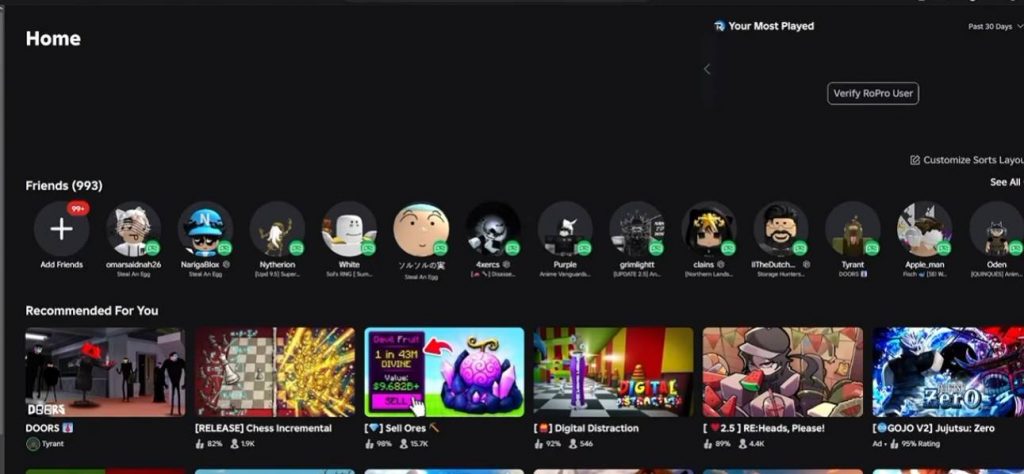
Getting the Classic Roblox Theme is fairly simple. You only need to open the Roblox application and access the special anniversary option. Follow these steps:
- Open the Roblox application Start Roblox and make sure you are logged into the account where you want to use the theme.
- Find the Roblox logo Once you are inside the application, look at the top-left corner of the screen. You should see the Roblox logo.
- Click the Roblox logo Select the logo to open the special menu connected to the 20th anniversary celebration.
- Look for the Roblox 20th anniversary message The menu should show a message about celebrating 20 years of Roblox. It also mentions that players can enjoy the classic look for a limited time.
- Select “Get Theme” Click the Get Theme button to activate the Classic Roblox Theme.
- Check your Roblox appearance Once the theme has been applied, your Roblox interface should change to the classic-inspired design.
How to Change the Classic Roblox Theme Settings
After activating the theme, you can also adjust some of the appearance options through Roblox’s preferences. This allows you to change how the interface looks depending on your preference. To access these options, open Browser Preferences or the relevant appearance settings in Roblox. You should find options related to the application’s theme. Depending on the available settings, you may be able to choose between options such as:
- Light Mode
- Dark Mode
- Classic Roblox Theme
- Other available appearance settings
If you want something that feels closer to the older Roblox website, Light Mode may be worth trying. It does not completely recreate the original Roblox website, but it can provide a simpler appearance that feels closer to the classic style.
Is the Classic Roblox Theme Permanent?

The Classic Roblox Theme was introduced as part of the Roblox 20th anniversary celebration, and the message shown by Roblox indicates that the classic look is available for a limited time. Because of this, the option may eventually disappear once the anniversary celebration or promotional period ends. Roblox can also change how the feature works through future updates.
If you currently see the Get Theme option in your Roblox application, it is a good idea to activate it while it is still available.
The Classic Roblox Theme gives players a simple way to experience a bit of the platform’s older look during the 20th anniversary celebration. You can unlock it directly through the Roblox application without downloading anything extra.
Simply open Roblox, click the Roblox logo in the top-left corner, find the 20th anniversary section, and select Get Theme. After that, you can check the appearance preferences and switch between the available theme options. While the feature does not completely restore the old Roblox website, it is a fun way to bring back some of the classic Roblox style for a limited time.
Roblox