


Dress to Impress Cake Quest Guide: All Ingredient Locations, Cake Dress & New Code
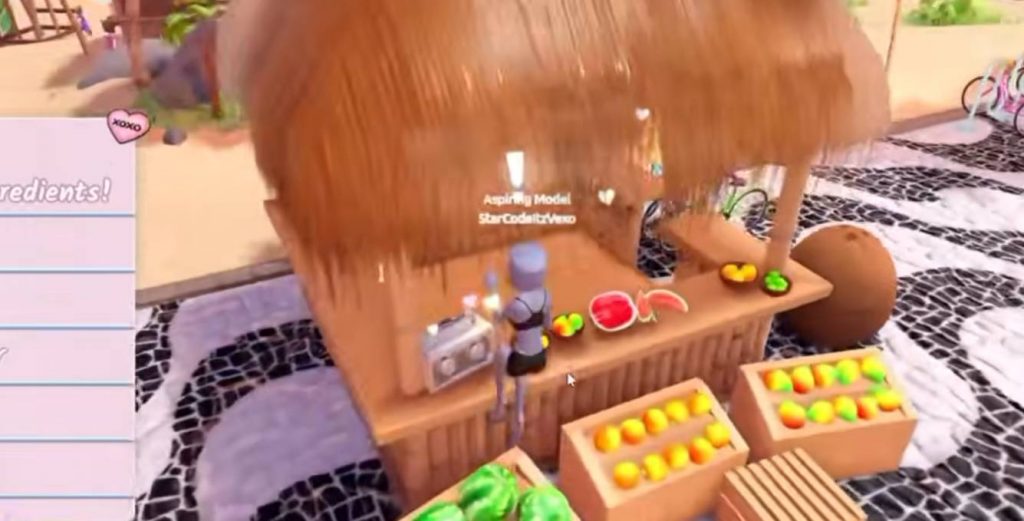
The latest Dress to Impress update adds a special cake-themed quest to celebrate the game’s huge 10 billion visits milestone. Completing the quest lets you unlock a new Cake Dress along with an additional 10 billion visits cake item. There is also a new code reward to claim before starting the quest. If you’re looking for every ingredient location and the full baking steps, this guide covers the entire Cake Quest from start to finish.
New Dress to Impress Code
Before starting the Cake Quest, make sure you redeem the new code from the update. The code is connected to the 10 billion visits celebration and gives you a new food-themed accessory. Open the code menu in Dress to Impress and enter:
- 10BILLION — Unlocks the Heart Fork accessory
The Heart Fork also comes with several customization options. You can change its appearance using the available toggles, including a smaller version of the item.
How to Start the Cake Quest
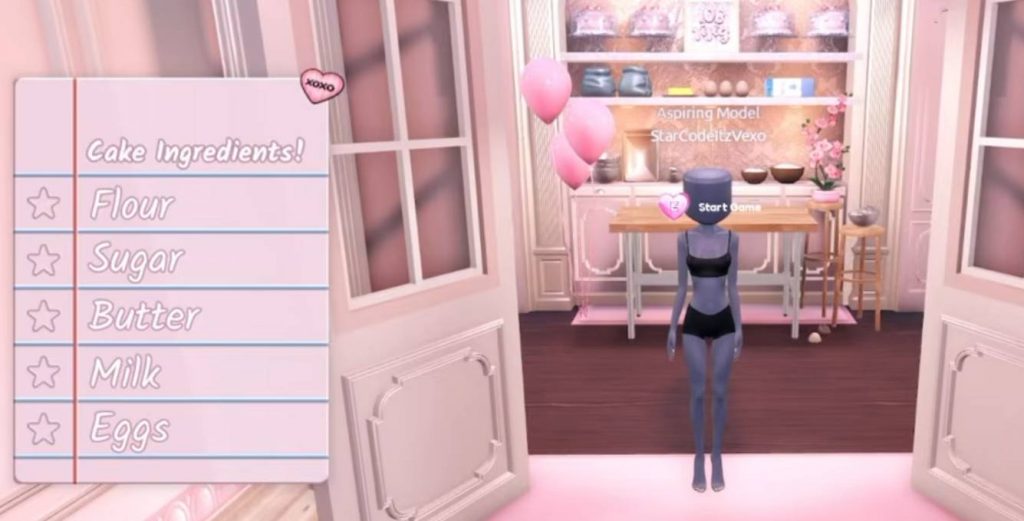
To begin the quest, head to the Cake Station in the Dressing Room. The quest requires you to collect five ingredients before you can start baking. The ingredients you need are:
- Eggs
- Butter
- Milk
- Flour
- Sugar
The ingredient list will appear when you start the quest, making it easier to keep track of what you have already collected.
Egg Location
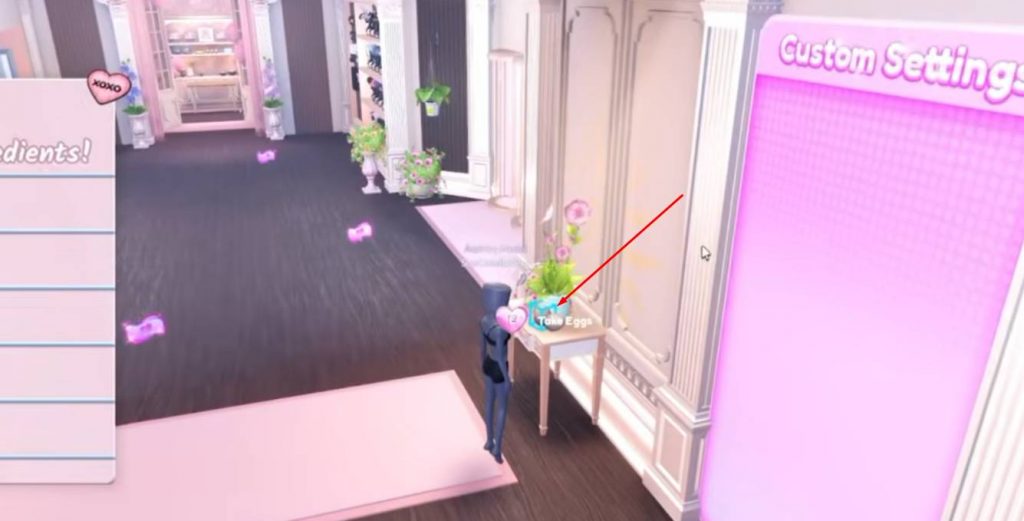
The first ingredient is the Eggs, which can be found inside the Dressing Room. After starting the quest, turn toward the table area inside the room.
Look for the table where the eggs are placed. Walk over to them and interact with the eggs to collect them. Once you’ve picked them up, they will automatically be marked as completed on your ingredient list.
Butter Location
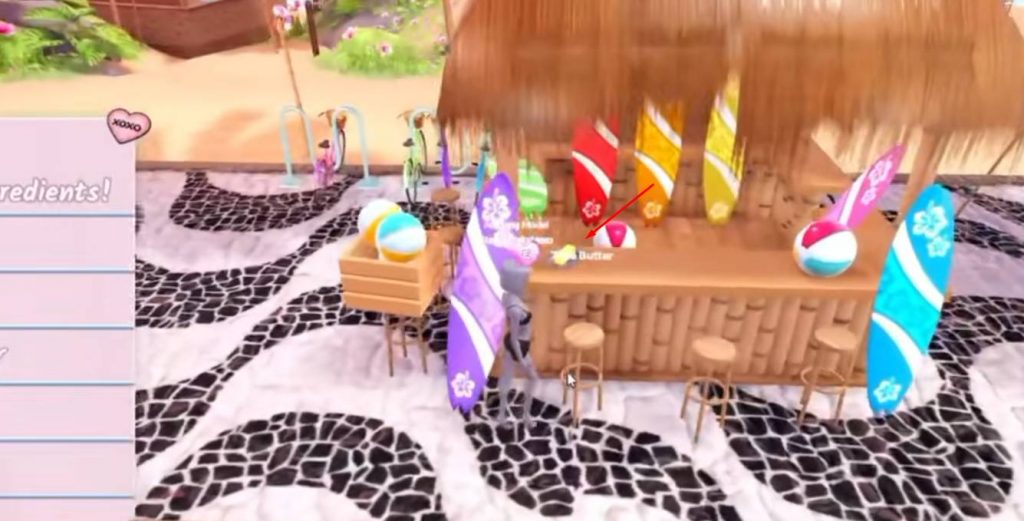
Next, you need to find the Butter. For this ingredient, leave the Dressing Room and head outside into the Free Play area.
Make your way toward the beach and look for the nearby building. Inside the building, check the counter to find the butter sitting there.
Simply interact with the butter to collect it and continue to the next ingredient.
Milk Location
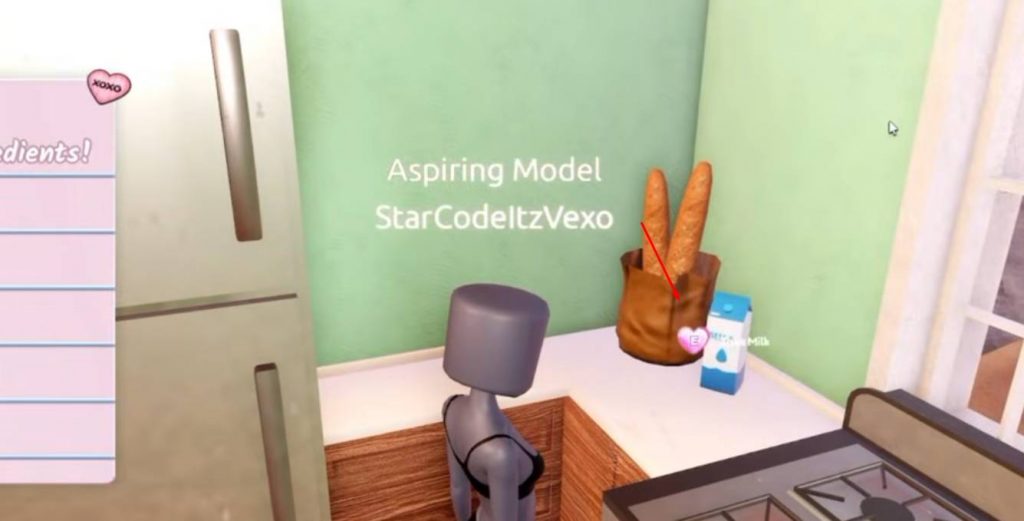
The Milk is located fairly close to the butter. After collecting the butter, turn around and head toward the nearby blue house.
Enter the house and go into the kitchen. The milk can be found sitting on the kitchen counter. Interact with it to add the ingredient to your quest list.
Flour Location
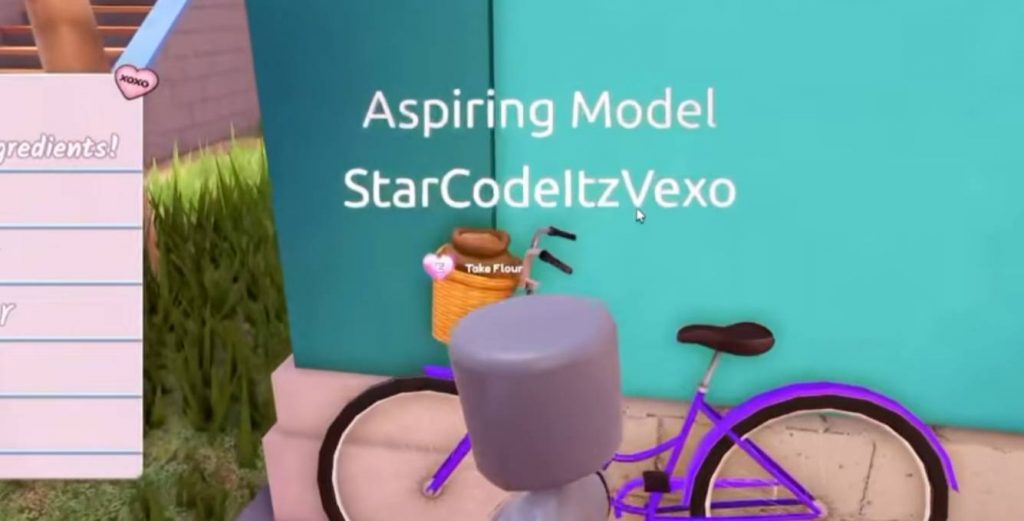
The Flour is located farther away, so you’ll need to continue through the Free Play area. Head upstairs and make your way toward the recording studio area.
Along the way, look for a purple bicycle. The flour can be found inside the basket of this bike, so check the basket carefully if you’re having trouble spotting it.
Interact with the flour to collect the fourth ingredient.
Sugar Location
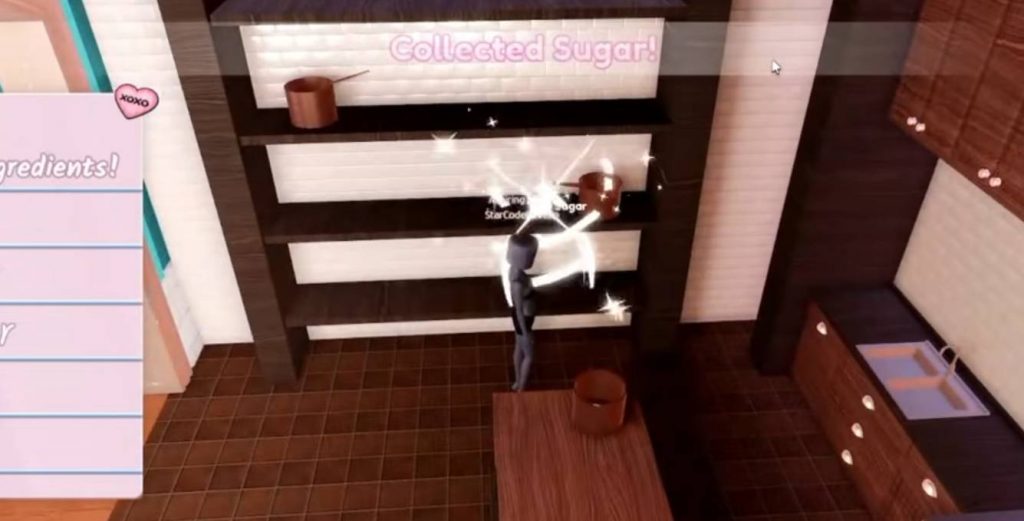
The final ingredient is Sugar. Continue into the recording studio and head toward the set used for the DTI cooking show.
Look around the shelves in the cooking show area. The sugar is sitting on one of the shelves in the corner.
Collect it to complete the five-ingredient requirement.
Return to the Cake Station
Once you’ve collected all five ingredients, return to the Cake Station in the Dressing Room. You can either walk back manually or use the available teleport option to save some time.
When you reach the station, interact with it and select the option to start the cake-making minigame.
How to Bake the Cake
The first part of the minigame is preparing the cake mixture. You’ll need to follow the instructions shown on screen and interact with the ingredients in the correct order.
Start by chopping the butter, then place it into the mixing bowl. Add the required sugar before using the whisk.
When the game tells you to whisk, repeatedly press the Spacebar until the mixture is properly mixed.
Continue by adding the eggs, milk, and flour. After adding the ingredients, use the Spacebar again to whisk the mixture until the step is complete.
Once everything has been mixed together, pick up the bowl and pour the batter into the cake pan.
Bake the Cake
After putting the mixture into the cake pan, place it inside the oven. This begins the baking portion of the quest.
The cake takes around 5 minutes to bake. You don’t need to stand next to the oven during this time, so you can use the waiting period to work on an outfit or take care of other things in the game.
Once the timer is finished, return to the Cake Station and start the next part of the minigame.
How to Decorate the Cake
After the cake has finished baking, you’ll move on to the decorating stage. This part involves adding frosting, piping, meringue, lace, and other decorations.
First, apply the pink frosting to the cake. Then use the Spacebar to pipe frosting around the bottom section. Repeat the process with another shade to create the second layer of decoration.
After that, add the meringue and other decorative pieces. You’ll also need to place the lace decoration on the cake before continuing with the upper frosting.
Finish the decoration by adding the floral details around the cake. Once every required step has been completed, the Cake Quest will be finished.
How to Get the Cake Dress
Completing the full baking quest rewards you with the brand-new Cake Dress. You also receive a special 10 billion visits cake item as part of the milestone celebration.
The Cake Dress has several customization options, making it more useful than a simple one-piece outfit. You can adjust different sections of the dress depending on the look you’re trying to create.
Available options include:
- Use the full Cake Dress.
- Wear only the skirt portion.
- Use only the bodice.
- Remove the large back bow.
- Remove the bottom cake layer.
- Make the dress shorter.
- Change the colors of multiple sections.
This gives you plenty of ways to adjust the dress for different Dress to Impress themes.
How to Equip the New Rewards
After completing the Cake Quest, head back to the dressing area to find your newly unlocked items.
The new cake item can be equipped alongside the Cake Dress and the Heart Fork accessory from the code. Together, these items create a complete cake-themed outfit that fits perfectly with the 10 billion visits celebration.
The Cake Dress can also be customized using its different toggles, so don’t forget to check the item settings after equipping it.
The Dress to Impress Cake Quest is a straightforward but fun event that requires you to explore the map before completing a short baking minigame. The most important part is knowing where all five ingredients are located so you don’t waste time searching.
Collect the eggs, butter, milk, flour, and sugar, return to the Cake Station, complete the baking and decorating steps, and you’ll unlock the new Cake Dress and 10 billion visits cake item. Don’t forget to also redeem 10BILLION for the Heart Fork accessory.
Dress To ImpressDTI