


Roblox The Hunt 2: How to Get New Items in the Event Hub
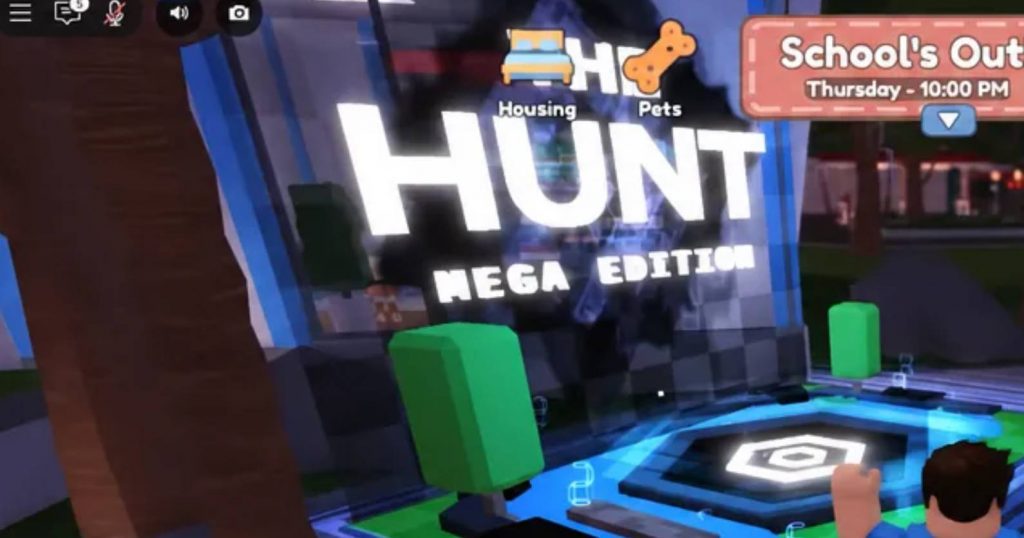
Roblox is preparing its 20th-anniversary celebration with another large-scale Hunt event. The event is sometimes referred to as The Hunt 2 or Roblox Classic 2, and like previous Hunt events, players can earn free avatar items by completing objectives across participating experiences.
The main system is simple. Enter the event hub, choose one of the available game portals, complete the Hunt quest inside that experience, and earn a collectible badge. Those badges are then used back in the hub to unlock rewards.
How to Unlock Free Items in The Hunt 2
The Hunt’s reward system is built around completing quests rather than purchasing the main free rewards. The event hub works as the central location, while portals take you directly to participating Roblox games.
Each participating game has a Hunt objective. After completing it, you receive the collectible needed for the event’s reward progression. For the 20th-anniversary Hunt, the collectible is expected to use the badge system.
You generally need to play different games to increase your total. Completing the same game repeatedly will not keep adding badges to your account. The basic process is:
- Enter The Hunt event hub.
- Choose a participating game through its portal.
- Complete that game’s Hunt quest.
- Receive the required badge.
- Return to the main event hub.
- Open the reward tracker.
- Check which items you can unlock.
- Select Unlock when you meet the required badge total.
How to Claim Hunt Items From the Event Hub
During a Hunt event, Roblox places the event hub and participating experiences prominently on the home page. This means you may not need to manually search for every game once the event is active.
After entering the hub, look for the row of portals connected to participating experiences. These portals provide a quick way to move between the event hub and the games involved in the Hunt.
Once you enter one of those games, complete its specific Hunt challenge. Depending on how the experience handles its quest, the badge may be awarded immediately after completing the objective, or you may need to return to a quest NPC to collect it.
After receiving the badge, head back to the event hub and open the Hunt tracker. The tracker shows your current collectible total and provides an overview of the games you have already completed.
From there, choose an available reward and select the Unlock button. Once the transaction is confirmed, the avatar item should be added to your Roblox inventory.
Do Hunt Badges Carry Over From Replaying Games?
No. The important part of the Hunt progression is completing different participating experiences. Each game normally provides its collectible once per account, meaning replaying a completed experience does not give you another badge.
This makes the event more about exploring the participating games than repeatedly farming a single easy quest. If you are trying to unlock everything, check your tracker after every completed game and move on to another experience once the badge has registered.
This also helps prevent wasting time on games you have already finished.
What Happens to Unclaimed Hunt Rewards?
Hunt rewards are connected to the event’s active period. Players should not assume that an item will remain available forever just because they already reached the required badge milestone.
Once the event ends and the hub closes, unclaimed rewards may no longer be redeemable. For that reason, it is safer to unlock every reward you have already qualified for instead of leaving everything until the final day.
A simple routine is to return to the hub after earning several badges and claim any available milestones immediately.
Previous Hunt Badge Requirements
The exact reward requirements for the 20th-anniversary event had not been fully revealed in the provided information. However, previous Hunt events show how Roblox has structured its free reward tracks.
The original The Hunt: First Edition used badges with several milestones. Its reward requirements included:
- Vault Holo-compass — 5 badges
- Staff of the Vault Explorer — 20 badges
- Vault Explorer’s Wings — 40 badges
- Vault Explorer’s Cowl — 60 badges
- Vault Explorer’s Crown — 95 badges
- The Infinite Egg — 95 badges
The first Hunt included 100 participating games, which explains why some of the final rewards required a very high number of badges. The Infinite Egg initially required 100 badges before Roblox later reduced the requirement to 95 following player feedback.
These numbers should not be treated as the requirements for The Hunt 2. They are only useful as an example of how the earlier event handled its reward milestones.
How The Hunt: Mega Edition Rewards Worked
The Hunt: Mega Edition used a different collectible called Tokens. Its free reward track was smaller because the event involved 25 games.
The previous reward milestones were:
- Visor — 3 tokens
- Shoulders — 7 tokens
- Backpack — 12 tokens
- Wings — 18 tokens
- Horns — 25 tokens
Collecting all 25 standard tokens was enough to complete the main free reward track.
Mega Edition also included hidden Mega Tokens. These worked separately from the normal reward progression and involved finding them in a specific order before contributing them to a live competition.
Because the anniversary event can change the system, these older requirements should not be used as confirmed numbers for The Hunt 2.
Are There Hunt Items You Can Get Without Badges?
Previous Hunt events have also included special items that were distributed directly inside the event hub rather than through the normal badge reward track.
For example, the first Hunt included the Vault Star Headphones, which required players to encounter a member of the Roblox Video Star Program inside the hub. The Mega Edition also had creator-related item drops involving Roblox admins, developers, and star creators.
These types of rewards did not require players to reach a specific badge milestone.
If The Hunt 2 includes another creator drop system, players may need to simply be present in the hub when the distribution happens. Unlike normal reward milestones, there may be no way to earn these items later by completing additional quests.
Can You Goldify Hunt Rewards With Robux?
Past Hunt events included paid options alongside the free reward track. The Mega Edition, for example, allowed players to Goldify certain items using Robux.
Goldify did not replace the normal progression. Players first had to earn and unlock the original item before applying the paid upgrade.
This means spending Robux was not a shortcut around Hunt quests. The required collectible still had to be earned through the participating games.
The first Hunt also featured a separate Gold Track with upgraded versions of rewards, along with a rotating limited item that could be purchased using Robux.
Whether these systems return for The Hunt 2 has not been confirmed.
Games Rumored for The Hunt 2
Roblox had not released a final participating-game list in the provided information. Several games were being discussed as possible participants, but these names should be treated as rumors rather than confirmed entries.
The rumored games include:
- Piggy
- Adopt Me
- Murder Mystery 2
- Jailbreak
- Doors
- Dress to Impress
- Grow a Garden
- Berry Avenue
- Roblox High School 2
- Blox Fruits
- Blade Ball
- Base Wars
- NFL Universe
- Speed Keyboard
- A Dusty Trip
- Untitled Tag Game
- The Hood
- Fish
- Steel-Venture
- Creatures of Sonaria
- Catalog Avatar Creator
The final lineup should be judged by what actually appears inside the event hub. Until Roblox confirms the participating experiences, players should not assume that every game on this list will receive a Hunt quest.
Anniversary Items Teased by Roblox
Roblox has also teased several objects connected to its 20th anniversary celebration. The preview featured items that resemble classic Roblox catalog objects and recognizable pieces of the platform’s history.
Objects shown in the teaser included:
- Bloxy Cola
- Burger
- Taco
- Teapot
- Sword
- Valkyrie helmet
- Dominus
- Fedora
- Twitter bird
- White gubby pet
The white gubby attracted particular attention after KreekCraft asked Roblox whether the creature shown in the teaser was a gubby. Roblox responded with a vague “maybe…” rather than confirming exactly what the item was.
However, teaser objects should not automatically be considered rewards. They could end up as avatar items, Marketplace products, event decorations, or simply promotional material.
How to Prepare for The Hunt 2
The best way to prepare is to understand the badge system before starting the event. Once the hub becomes available, focus on completing each participating game’s Hunt objective and check your tracker after every quest. Keep these points in mind:
- Start from the official Hunt event hub.
- Use the portals to access participating experiences.
- Complete each game’s Hunt-specific quest.
- Check that your badge has been awarded.
- Avoid replaying completed games when looking for new badges.
- Return to the hub regularly to check your reward milestones.
- Claim unlocked items instead of waiting until the final day.
- Treat rumored game lists as unconfirmed.
- Do not assume teaser items are guaranteed rewards.
The Hunt 2 reward system is expected to follow the familiar formula used by earlier Roblox Hunt events. Instead of finding free avatar items randomly around the hub, players progress by completing quests in participating games and collecting the required badges.
The most important part is to keep moving through different experiences. Each completed Hunt quest contributes to your overall progress, while the event hub is where you track badges and claim the items you have unlocked.
The final reward requirements, participating-game lineup, and additional anniversary mechanics should be confirmed by Roblox as the event approaches. Until then, previous Hunt events can provide a useful idea of how the system may work, but their exact reward numbers should not be treated as confirmed for The Hunt 2.
Roblox