


Best AFK Farm Method in Anime Zero for PC and Mobile
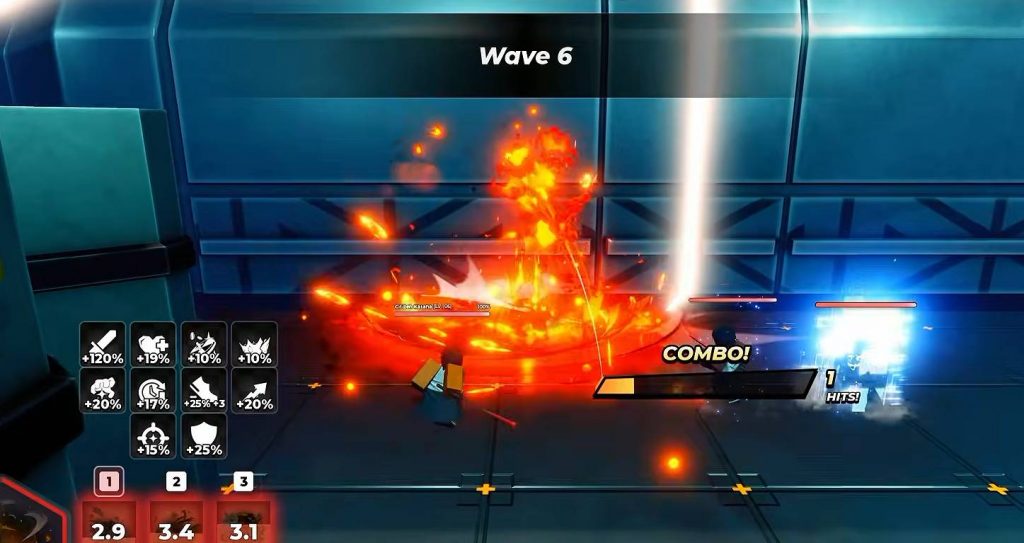
Anime Zero has several reasons to spend time farming, from collecting materials for accessories to leveling abilities and reaching milestone rewards. If you want to keep progressing without actively playing every minute, an AFK setup can make the grind much easier.
The current method mainly works through Infinite Mode, combined with an ability that has strong area damage. It can be used on both PC and mobile, although the setup is slightly different depending on your device.
What You Need for AFK Farming
Before setting up the farm, you need an ability that can consistently clear enemies without requiring too much manual input. Sukuna and Hutao are good choices because their skills can cover a large area and deal with groups of enemies more easily.
Hutao is especially useful for this setup because Sukuna’s ultimate has a relatively long animation. A long ultimate animation can slow down the farming loop, so Hutao can provide a smoother AFK cycle depending on your build.
You will also need an auto-clicking or macro setup. On PC, the method described here uses TinyTask to repeat your ability inputs, while an auto clicker handles the retry button between runs.
How to Set Up the PC AFK Macro
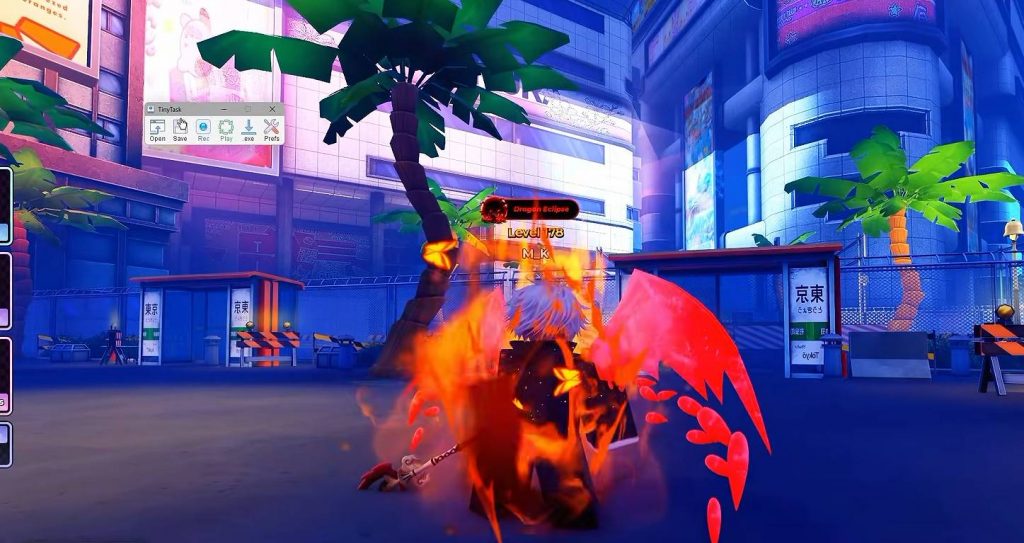
For the PC method, start by opening TinyTask and preparing a simple recording. The goal is to make the macro repeatedly activate your abilities so the character can continue fighting without manual input.
Follow these steps:
- Open TinyTask.
- Start recording.
- Press your ability keys in sequence, such as 1, 2, and 3.
- Press the G key for your ultimate.
- Stop the recording.
- Set the playback speed to 2x.
- Enable continuous playback.
- Pair the macro with an auto clicker.
The exact keys may be different depending on your Anime Zero controls and character setup. Test the recording manually first to make sure every ability activates correctly before leaving the game unattended.
Use Infinite Mode for AFK Farming
At the moment, Infinite Mode is the main mode suited for this type of AFK farming. Enter Infinite Mode on Nightmare difficulty and start your run normally.
Once you reach the point where you want to restart the run, end or reset the session. Position your auto clicker over the Retry button, then activate both your auto clicker and TinyTask macro.
The auto clicker can repeatedly press Retry, while TinyTask handles the combat inputs. This creates a repeating farming cycle where your character enters another run and continues using the selected abilities.
Your results will depend heavily on your build. A stronger setup can survive longer and clear enemies faster, giving you more materials over multiple runs.
How to Farm Materials and Accessories
One of the biggest benefits of this method is material farming. The materials obtained from your runs can be used for crafting and can also be converted into higher-rarity materials when you have the required resources.
This makes Infinite Mode useful if you are preparing for accessory crafting or trying to build up your inventory before a future Anime Zero update.
The more efficiently your character clears enemies, the better the AFK farming results will be. Because of this, it is worth testing different abilities instead of automatically using the same character for every setup.
How to Level Abilities While AFK
The same farming method can also help you level up abilities. If you are specifically trying to max out a particular ability, equip the ability you want to level in your second slot before starting your AFK session.
This allows you to combine regular farming with ability progression instead of spending separate sessions only for leveling. You can also use Fortune Trade if you have access to it and want to improve the efficiency of the process.
Before leaving the game running, make sure your character can survive the intended run and that your macro is activating the correct skills consistently.
Anime Zero AFK Farming on Mobile
You can also create an AFK setup on mobile, although you will need an auto clicker that supports multiple touch points or recorded actions.
The general idea is similar to the PC method. You need the auto clicker to repeat your combat inputs while also interacting with the Retry button so the next Infinite Mode run can begin.
A basic setup can include:
- Open a multi-point auto clicker.
- Add touch points for your M1 attacks.
- Add touch points for your abilities.
- Add a touch point for your ultimate.
- Add repeated taps for the Retry button.
- Test the sequence.
- Start the Infinite Mode run.
- Activate the recorded auto-clicking sequence.
The exact placement of the touch points depends on your device’s screen size and the current Anime Zero interface. Always test the sequence first because one misplaced touch point can stop the entire loop.
Using a Cloud Android Device for AFK Farming
If you do not want to keep your physical PC or phone running for hours, another option is a cloud-based Android service. The original method uses Yugji Phone, which provides remote Android devices that can continue running even when you are using your own computer for other tasks.
This option is paid, although the service may provide trials or promotional discounts depending on the account and current offers. The main advantage is that the Roblox session runs on the remote Android device instead of using your own hardware continuously.
After setting up the cloud device, install Roblox and a compatible auto clicker. Give the required permissions, sign into Roblox, and launch Anime Zero.
From there, enter Infinite Mode and configure the same AFK sequence described above. Once the loop is running correctly, you can leave the remote device active while using your own PC for work, gaming, or other activities.
Things to Check Before Leaving Anime Zero AFK
An AFK setup is only useful if it can keep running without stopping. Before leaving your character unattended, spend some time testing the complete loop.
Check the following:
- Your character can survive the selected Infinite Mode difficulty.
- Your abilities activate in the correct order.
- The ultimate does not interrupt the farming cycle too much.
- The auto clicker consistently presses Retry.
- TinyTask repeats the recorded sequence correctly.
- Your device has enough battery or is connected to power.
- Your internet connection is stable.
- The game does not disconnect after extended inactivity.
It is also a good idea to check your results after a short test session before running the setup for several hours.
Hutao vs Sukuna for AFK Farming
Both Sukuna and Hutao can work for AFK farming, especially when your build has enough damage to clear enemies consistently. However, Hutao can be more convenient for an automated setup because the farming cycle is less affected by a long ultimate animation.
Sukuna is still a strong option if you already have the character built and it clears enemies faster for your account. The best choice ultimately depends on your damage, cooldowns, survival, and how consistently the ability rotation works without manual input.
For an AFK setup, consistency is usually more important than having the highest possible burst damage.
Anime Zero’s Infinite Mode gives players a useful way to combine farming and progression. With a strong AoE ability, an auto clicker, and a properly configured macro, you can collect materials, work toward accessory crafting, and level abilities without manually controlling every part of the run.
PC players can use a TinyTask-style macro together with an auto clicker, while mobile players can create a similar setup using a multi-point recorder. A cloud Android device can also be used if you want the session to keep running without tying up your main device.
Just make sure to test your setup before leaving it unattended. A few minutes of testing can prevent a failed AFK session and help you get much more value from your Anime Zero farming time.
Anime Zero