


All Stand Dice Codes (November 2026)
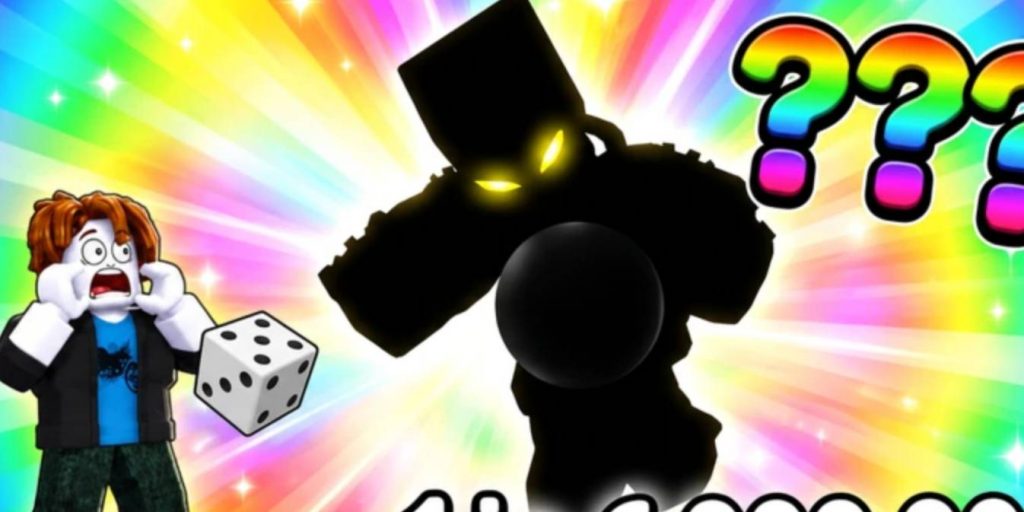
Stand Dice is a Roblox game where players roll for different Stands, collect characters with various rarities, and build a powerful team. The main goal is to keep rolling until you get stronger Stands that can help you progress further. Since the game features an automatic rolling system, you can continue collecting rewards without having to perform every roll manually.
However, getting rare Stands can take some time, especially when luck is not on your side. Fortunately, you can use Stand Dice codes to claim free rewards, including Roll Luck Boosters, Jackpot Rolls, Trait Rerolls, Gear Keys, and other useful items. These freebies can make it easier to improve your collection and get better results from your rolls. Below, you can find all the active Stand Dice codes, their rewards, and instructions on how to redeem them in Roblox.
All Active Stand Dice Codes
- SOAPEFFECT – 2 Roll Luck III, 10 Trait Rolls, and 2 Jackpot Rolls.
- FOLLOWQWERTY – 2 Roll Luck III, 5 Trait Rerolls, and 1 Jackpot Roll.
- PROGRESSION – 2 Roll Luck III, 10 Trait Rolls, and 3 Jackpot Rolls.
- EQUIPMENT – 2 Roll Luck III, 2 Jackpot Rolls, and 3 Cash III.
- 10KVISITS – 2 Roll Luck III, 1 Jackpot Roll, and 3 Cash III.
- 100KVISIT – 2 Jackpot Rolls, 2 Cash IV, and 2 Roll Luck IV.
- VOIDRETURN – 1 Void Jackpot, 5 Trait Rerolls, and 2 Roll Luck IV.
- UPDATE4 – 1 Void Jackpot, 2 Roll Luck IV, 3 Grade Gems, and 2 Roll Speed III.
- GEARS – 2 Roll Luck III, 2 Gear Keys, and 3 Grade Gems.
Make sure to enter each code exactly as shown above. Roblox codes are usually case-sensitive, so copying and pasting them is the easiest way to avoid typing mistakes.
How to Redeem Stand Dice Codes
Redeeming codes in Stand Dice is a simple process. You do not need to complete a specific mission or reach a certain level before using the redemption feature. Once you enter the game, you can access the code menu through the Shop interface. Follow these steps to claim your free rewards:
- Open Roblox: Launch Roblox and enter the Stand Dice experience.
- Open the Shop: Once you are inside the game, look for the Shop icon on the left side of your screen and click it.
- Select the Codes Tab: Find and open the Codes section inside the Shop menu.
- Enter a Code: Type or paste one of the active codes into the Enter Code… text field.
- Redeem Your Rewards: Press the Redeem button to receive the items associated with that code.
Repeat the process for every available code to collect all the rewards. If a code does not work, double-check its spelling and make sure you have not already redeemed it.
Why Are My Stand Dice Codes Not Working?
Sometimes, you may encounter problems when trying to redeem a Stand Dice code. This can happen for several reasons, especially if the developer has already disabled the code or you have previously claimed its rewards.
Here are some common reasons why a code might not work:
- Expired Code: Some codes are only available for a limited time. Once the developer removes them, you will no longer be able to claim their rewards.
- Incorrect Spelling: Entering a code with missing letters or incorrect characters can prevent redemption.
- Already Redeemed: Most Roblox codes can only be used once per account.
- Server Issues: Occasionally, the game may experience temporary problems that prevent codes from being redeemed.
If you encounter an error, try copying the code directly from the list and entering it again. If it still does not work, the code may have expired.
Stand Dice codes are a useful way to collect free items without spending extra time grinding for every reward. With 9 active codes available, players can obtain Roll Luck Boosters, Jackpot Rolls, Trait Rerolls, Gear Keys, Grade Gems, and other resources to improve their progress. Make sure to redeem every available code before it expires. These rewards can help you get better rolls, improve your Stands, and build a stronger team as you continue playing Stand Dice.
Stand Dice