


GTA 6 Vehicle Summoning Guide: How to Call Your Car
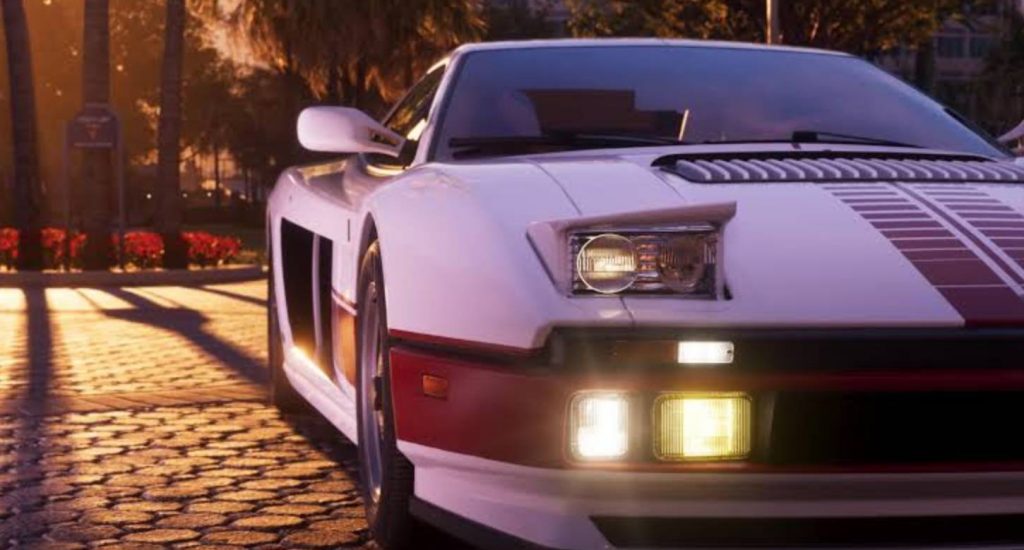
Getting around Vice City and the rest of Leonida in Grand Theft Auto VI is much easier when you have access to your personal vehicle. However, there will be times when your car gets destroyed, disappears, or is simply too far away from your current location.
Fortunately, GTA 6 introduces a vehicle delivery feature that allows you to summon your personal car without having to find another vehicle or travel back to where you left it. The method changes depending on your story progression, with Joey handling vehicle deliveries early in the game and the Scooter Bros app becoming available later.
This guide explains how to summon vehicles in GTA 6, how to unlock the delivery app, how much it costs, and which vehicles you can request.
Note: This guide contains light story spoilers, including the names of certain missions.
How to Summon Your Vehicle in GTA 6 Chapter 1
During the first chapter of GTA 6, you won’t have access to the Scooter Bros application yet. Instead, you need to contact a character named Joey, who can deliver your personal vehicle directly to your current location.
To unlock this service, you first need to visit Voastal Auto Care in the southern part of Key Lento. This location introduces Joey and allows you to use his vehicle delivery service.
Once you’ve visited the location, follow these steps:
- Open your smartphone and navigate to the Contacts section.
- Find Joey in your contact list.
- Call Joey to request your personal vehicle.
- Wait for him to deliver your car to your current location.
One of the biggest advantages of using Joey is that his service is completely free during Chapter 1. He will also repair your vehicle without charging you anything.
This means you don’t need to worry about losing your car after an accident. Even if your vehicle gets completely wrecked, you can simply contact Joey again to have it respawn nearby in fully repaired condition.
How to Summon Vehicles in GTA 6 From Chapter 2 Onward
Once you progress into Chapter 2, the way you request your personal vehicle changes. Instead of calling Joey through your contact list, you will unlock a dedicated smartphone application called Scooter Bros.
This application provides a more convenient way to request your registered vehicles whenever you need them. However, unlike Joey’s free service, Scooter Bros charges a delivery fee every time you use it.
How to Unlock the Scooter Bros App
To unlock Scooter Bros, you need to complete the main story mission called Moses (Take a Vehicle to Moses) during Chapter 2.
After completing this mission, the application will automatically become available on your smartphone. You can recognize it by its green car icon.
Once unlocked, you can use the application to request your personal vehicles without needing to contact Joey.
How to Use the Scooter Bros App
Using Scooter Bros is relatively simple and only takes a few steps. You don’t need to visit a garage or return to the location where you originally parked your car.
Follow these instructions to summon your vehicle:
- Press D-Pad Up to open your smartphone.
- Find and launch the Scooter Bros application.
- Browse the available vehicles in your collection.
- Select the personal vehicle you want to summon.
- Press Request to confirm your delivery.
- Wait for your vehicle to appear at your current location.
Your selected car will be delivered directly to you, allowing you to continue exploring without searching for another vehicle.
However, remember that Scooter Bros charges money for each delivery. The application also provides a repair service, but you’ll need to pay an additional fee depending on the vehicle.
How Much Does It Cost to Summon a Vehicle in GTA 6?
The cost of vehicle delivery depends on which method you use. Joey provides free deliveries during Chapter 1, while Scooter Bros introduces regular service fees and an optional premium upgrade.
Here is the current breakdown of vehicle summoning costs:
- Joey (Chapter 1): Free vehicle delivery and repairs.
- Standard Scooter Bros Delivery: Approximately $100 per request.
- Premium Upgrade: $12,500 as a one-time purchase.
- Vehicle Repairs: Additional charges that vary depending on the car.
The standard Scooter Bros delivery fee is relatively affordable compared to the cost of purchasing expensive vehicles. However, repeatedly requesting deliveries can eventually become expensive.
The premium upgrade costs $12,500 upfront, so you should consider purchasing it once you have enough money available. It may be useful for players who frequently summon their vehicles throughout the game.
Keep in mind that vehicle repair prices can change depending on the value of your car. More expensive vehicles may require higher repair payments, so avoid unnecessary damage whenever possible.
Which Vehicles Can You Summon in GTA 6?
Scooter Bros allows you to request personal vehicles that you own or have properly registered. This means you cannot necessarily summon every random car you’ve driven during your adventure.
If a particular vehicle doesn’t appear in the application, you should check whether it has been added to your personal vehicle collection and registered correctly.
The service is primarily designed for vehicles that belong to your character, rather than random cars found throughout Vice City.
Therefore, if you want to make sure a vehicle is available whenever you need it, make sure you own and register it before attempting to summon it through Scooter Bros.
Tips for Summoning Vehicles in GTA 6
Although the vehicle delivery system is convenient, there are a few things you should consider to make traveling around Leonida easier.
1. Use Taxis for Long-Distance Travel
You don’t always need to summon your personal vehicle when traveling across the map. If you’re going somewhere far away, using a taxi can be a more convenient alternative.
This can help you save money on repeated vehicle deliveries, especially when you don’t need your own car at your destination.
2. Purchase the Premium Upgrade When You Can Afford It
The Scooter Bros premium upgrade costs $12,500 as a one-time purchase. If you regularly use the application, purchasing this upgrade could be worth considering.
However, don’t rush to spend your money on it during the early stages of the game. Prioritize important purchases first and get the upgrade once you have enough cash.
3. Summon Your Vehicle When You’re in Trouble
Your personal vehicle can be useful when you need a quick escape from dangerous situations. Instead of searching for another car, you can request your registered vehicle through Scooter Bros.
This can be particularly helpful when you’re dealing with enemies or trying to move away from an area quickly. Just remember that the delivery service doesn’t automatically remove your wanted level or guarantee that you can escape the police.
4. Check Your Vehicle Collection Before Requesting a Delivery
If your preferred car isn’t available in Scooter Bros, make sure it is actually registered as your personal vehicle.
This is important because the application doesn’t appear to support every vehicle you have previously driven. Keeping track of your registered cars will make the delivery process much easier.
Summoning personal vehicles in GTA 6 is a convenient feature that saves players from having to search for another car whenever their current vehicle gets destroyed or left behind. During Chapter 1, you can simply call Joey for free deliveries and repairs after visiting Voastal Auto Care in Key Lento.
From Chapter 2 onward, the Scooter Bros application becomes your main option after completing the Moses mission. Although it charges approximately $100 per delivery, it provides a straightforward way to bring your registered vehicles directly to your location.
If you frequently use your personal cars, consider purchasing the $12,500 premium upgrade once you have enough money. Otherwise, Joey’s free service during the early game and regular transportation options should be enough to help you explore Leonida.
Grand Theft Auto VIGTA 6