


12 Anime CardVerse Beginner Guide: How to Level Up Fast, Get Weapons, and More!
Starting your adventure in Anime CardVerse can be confusing, especially because the game doesn’t provide a detailed tutorial explaining its progression systems. There are several things you need to understand, including summoning powers, upgrading weapons, completing worlds, and evolving your abilities.
If you’re new to this Roblox game, knowing which activities to prioritize can save you a lot of time. You can also collect free Gems through codes, daily rewards, and other activities before spending them on summons.
In this Anime CardVerse beginner guide, we’ll explain the important features you should know, including how to level up faster, obtain weapons, improve your powers, and evolve your abilities.
1. Redeem Codes and Claim Free Rewards First
Before starting your adventure, the first thing you should do is redeem every available Anime CardVerse code. These codes provide free Gems that you can spend on summoning new powers.
You should also join the game’s official Roblox group and talk to the NPC responsible for group rewards. This gives you access to additional freebies that can help during the early stages of the game.
Here are some other free rewards you should collect:
- Redeem Codes: Use available codes to receive free Gems.
- Group Rewards: Join the official Roblox group and speak with the reward NPC.
- Daily Rewards: Open the Daily Rewards menu and claim your available Gems.
- Achievements: Complete different objectives to unlock additional rewards.
Collecting these rewards early gives you more opportunities to summon powerful abilities without spending too much time farming.
2. Adjust Your Settings Before Playing
Anime CardVerse has several settings that can make your gameplay more comfortable. If you find the user interface too large or have trouble managing your abilities, adjusting these options is worth doing before starting your first mission.
Press J on your keyboard to open the settings menu. From there, visit the Misc tab to find different customization options.
Here are some useful settings to consider:
- UI Scale: Reduce the interface size if the menus and buttons take up too much screen space.
- Always Run: Enable this option if you don’t want to hold the run button whenever you move.
- Fast Summon: Turn this on to make summoning quicker, especially when spending Gems on multiple summons.
You can also configure the Auto settings to make combat easier. The game provides options such as automatic melee attacks, aiming at specific positions, and automatically activating selected skill slots.
These options can reduce the amount of manual input required during combat. However, you should still learn how your abilities work instead of relying entirely on automation.
3. How to Summon Powers in Anime CardVerse
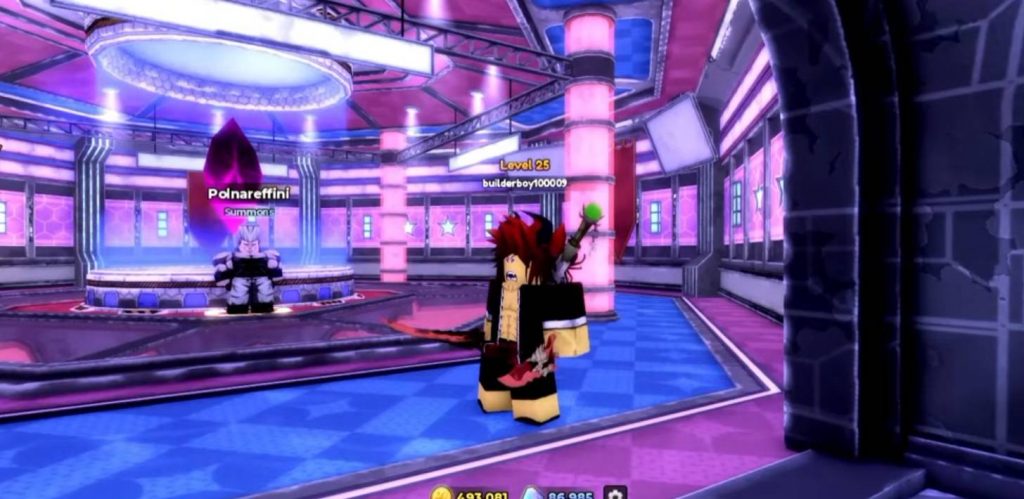
Summoning is one of the first major activities you should focus on after collecting your free Gems. Powers are essential because they provide different attacks and abilities that help you defeat enemies.
To start summoning, follow these steps:
- Open the Summons menu.
- Travel to the Summoning area.
- Find and talk to the NPC named Pulnerf.
- Select the Summon option.
- Choose the available banner.
- Spend your Gems to obtain random powers.
The available banners rotate every few minutes, so you may see different options whenever you visit the summoning area. Each banner offers different powers inspired by various anime abilities.
If you have enough Gems, using the 10x summon option is a convenient way to obtain multiple abilities at once.
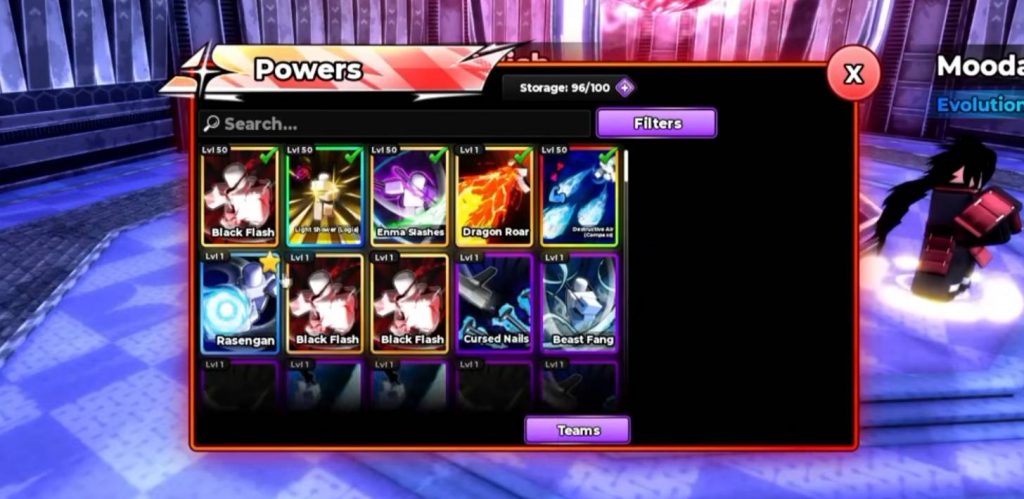
Once you receive your powers, you can equip them by pressing T on your keyboard. New players can initially equip up to two abilities, so choose the ones that offer the best combination of damage and utility.
Some examples of abilities you may encounter include:
- Black Flash
- Light-based abilities inspired by Pika
- Enma Slashes
- Dragon Roar
- Destructive Air
Each ability has different animations and effects, so experiment with your available powers to find a combination that suits your combat style.
4. Complete Worlds to Unlock Missions and Other Game Modes

After equipping your abilities, your next priority should be progressing through the available worlds. Anime CardVerse uses a world progression system, meaning you need to complete certain areas before unlocking additional activities.
Press M on your keyboard to open the main menu and select the Worlds tab.
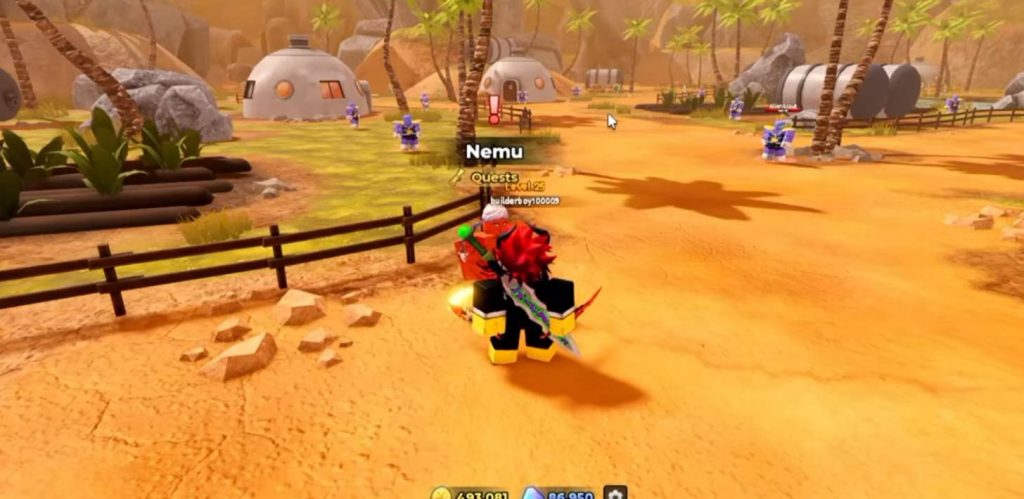
Your first destination is Nemo’s Village. Teleport there and speak with the NPC to begin progressing through the area. You can follow the same process when unlocking other worlds.
Completing worlds is important because it gradually unlocks additional game modes, including:
- Missions: Fight waves of enemies and complete objectives to earn rewards.
- Challenges: Take on additional activities that become available as you progress.
- Gauntlet: Access another combat mode with its own progression and rewards.
- Invasions: Participate in special encounters that become available after reaching Level 15.
Missions are particularly useful for beginners because they provide Gems and other materials. You can enter a mission alone or queue up with other players if you prefer playing together.
Each mission features wave-based combat, where you need to defeat enemies until you complete the required objectives.
I recommend focusing on world progression first instead of spending too much time repeating the same activities. Unlocking additional worlds gives you access to more missions and opportunities to collect resources.
5. How to Level Up Fast in Anime CardVerse
Leveling up is important because it unlocks additional activities and gives you access to better progression rewards. One of the easiest ways to gain experience is by completing missions while progressing through different worlds.
Instead of focusing on only one activity, try combining several sources of rewards to make your progress more efficient.
Here are some activities worth prioritizing:
- Complete Missions: Fight enemy waves to earn Gems, Souls, and other useful materials.
- Progress Through Worlds: Unlock new areas to access additional missions and activities.
- Complete Bounties: Visit the Stages menu and check the available Bounty objectives for each world.
- Finish Achievements: Open the Achievements menu and claim rewards whenever you complete an objective.
- Participate in Invasions: Once you reach Level 15, look for active Invasions to obtain additional rewards.
Another important feature is the Level Milestone system. Every time you reach another five-level milestone, visit the NPC named Whitebeard to claim your rewards.
For example, reaching Level 5, Level 10, Level 15, and Level 20 will unlock milestone rewards. These can include Gems and other useful materials.
Make sure you claim them regularly because they provide additional resources that can help with summoning and upgrading your powers.
6. How to Get Weapons in Anime CardVerse
Weapons are another important part of character progression. They provide additional combat options and can improve your overall damage depending on the weapon you obtain.
To summon weapons, return to the Summoning area and speak with Pulnerf again. This time, select the Weapons option instead of summoning powers.
You can then spend your resources to roll for different weapons.
Once you obtain a weapon, press G on your keyboard and open the Weapons tab. From there, you can check your available equipment and select the weapon you want to use.
There are several weapons with different rarities and effects. One example is the Kamish Dagger, which is a Mythic weapon.
Getting a powerful weapon can improve your combat performance, so don’t forget to check your weapon inventory after completing missions and other activities.
7. How to Reroll Power and Weapon Traits
Anime CardVerse has a trait system that allows you to improve your powers and weapons. You can reroll these traits to obtain different bonuses that make your equipment stronger.
To access this feature, visit the Upgrades area and speak with Kokushibo.
There are two different reroll systems:
- Trait Rerolls: Used to change the traits on your powers.
- Weapon Rerolls: Used to change the traits on your weapons.
Each system requires its own reroll materials, so make sure you have the correct items before attempting to change your traits.
Some traits are better than others, depending on your build. If you receive a trait you don’t like, you can reroll it to try getting something more useful.
The game also allows you to save up to two different trait combinations. This means you can switch between saved traits instead of losing a combination you previously obtained.
Sometimes, a reroll can provide two traits at once, giving you additional bonuses. If you get a combination that works well with your build, consider saving it.
8. How to Reroll Stats and Get SSS Rank
Besides traits, you can also reroll your power and weapon stats. This system allows you to improve the attributes of your equipment and potentially obtain better rankings.
When rerolling, your goal should be to get high-quality stats, preferably SS or SSS ranks.
Here is how the process works:
- Visit the Upgrades area.
- Select the power or weapon you want to improve.
- Open the Stats section.
- Use your available reroll materials.
- Check the results and keep the stats you want.
- Lock good stats before continuing to reroll other attributes.
The locking feature is especially important because it prevents you from accidentally replacing a good stat while trying to improve another one.
For example, if you obtain an SSS-ranked stat, lock it before continuing to reroll the remaining attributes. This gives you a better chance of building a stronger combination without losing your previous results.
You can also use the Stat Transfer feature to transfer certain stats between equipment, depending on the available requirements.
9. How to Evolve Powers in Anime CardVerse
Evolution is another important progression system that allows you to improve certain abilities. Evolving a power can change its appearance and provide additional effects or buffs.
However, evolution requires specific materials and conditions. You cannot simply select an ability and evolve it without meeting the necessary requirements.
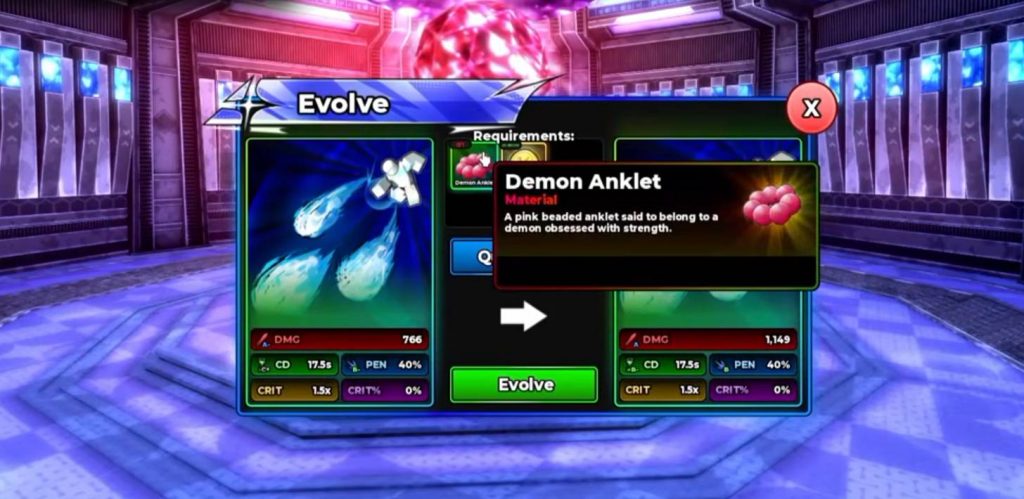
To start, open the evolution section and check the materials needed for your selected power.
For example, one evolution may require a Timon Anklet. If you don’t have the required item, you need to craft it first using the appropriate materials.
Once you have everything, follow these steps:
- Open the evolution menu.
- Select the power you want to evolve.
- Check its required materials.
- Craft any missing items if necessary.
- Return to the evolution menu.
- Press the Evolve button to complete the process.
After evolving a power, you may receive additional effects that change how the ability looks or works.
For example, Destructive Air can receive a visual change after evolution, making its attacks look different from the original version.
Keep in mind that not every power may be eligible for evolution. Based on the available information, Mythic powers are among the abilities that can currently use this system, so check the requirements before spending your materials.
10. How to Upgrade Powers Using Souls
Obtaining a powerful ability through summoning is only the beginning. You also need to level it up if you want to deal more damage during missions.
Anime CardVerse uses Souls as materials for upgrading your powers.
To upgrade an ability, press T on your keyboard to open your equipped powers. Select the ability you want to improve and look for the Feed option.
You can then use your collected Souls to increase its level.
Follow these steps:
- Press T to open your power inventory.
- Select the ability you want to upgrade.
- Open the upgrade section.
- Choose the Feed option.
- Spend your available Souls to increase its level.
The higher your ability level, the stronger it becomes. You should prioritize the powers you actually use rather than spending all your Souls on abilities that you rarely equip.
For beginners, focusing your resources on one or two main abilities is a better approach than upgrading everything at once.
11. How to Ascend Powers and Weapons
If you receive duplicate powers or weapons from summoning, don’t immediately ignore them. You can use extra copies through the Ascension system to increase their strength.
To ascend your equipment, visit the Ascension NPC and select the power or weapon you want to improve.
For example, if you have an extra copy of Black Flash, you can use it to ascend your main Black Flash ability.
The system uses duplicate copies to increase the star level of your equipment.
Here is how it works:
- One-Star Ascension: Use a duplicate copy to begin upgrading the selected ability.
- Two-Star Ascension: Requires additional duplicate copies.
- Three-Star Ascension: Continue using duplicates to reach the next star level.
Higher Ascension levels provide additional damage and improve your equipment’s overall performance.
The same system also applies to weapons, so remember to check your inventory for duplicate equipment before using it for other purposes.
If you frequently summon new powers, Ascension is one of the most useful ways to turn unwanted duplicates into additional strength.
12. Don’t Forget Bounties, Achievements, and Level Milestones
Besides completing missions, there are several additional reward systems that beginners should not overlook.
These activities are easy to miss because they are located in different menus, but they can provide valuable resources for your progression.
Bounties
Open the Stages menu and check the available Bounty objectives for each world. Completing these tasks provides additional rewards, so try to finish them while progressing through the main areas.
Achievements
The Achievements menu contains different objectives that reward you for completing certain activities. Make sure to check this section regularly and claim anything you have already unlocked.
Level Milestones
Visit Whitebeard whenever you reach a five-level milestone. He provides additional rewards, including Gems and materials that can help with your upgrades.
Combining these activities with regular missions is a good way to collect more resources without having to grind the same content repeatedly.
Anime CardVerse has several progression systems that might feel confusing when you first start playing. However, once you understand how summoning, missions, weapons, traits, and evolution work, improving your character becomes much easier.
For beginners, the best approach is to collect all available free Gems, summon a few useful powers, and start progressing through the worlds. After unlocking more activities, focus on farming Souls, upgrading your main abilities, and collecting materials for evolution.
Don’t forget to use duplicate powers and weapons for Ascension, reroll your traits when you have enough materials, and claim rewards from Bounties and Achievements. Following these steps will give you a much stronger starting point in Anime CardVerse.
Anime Cardverse