


Crash Engine Guide: How to Get Money Fast, Best Crashes, Tips & Tricks (Roblox)
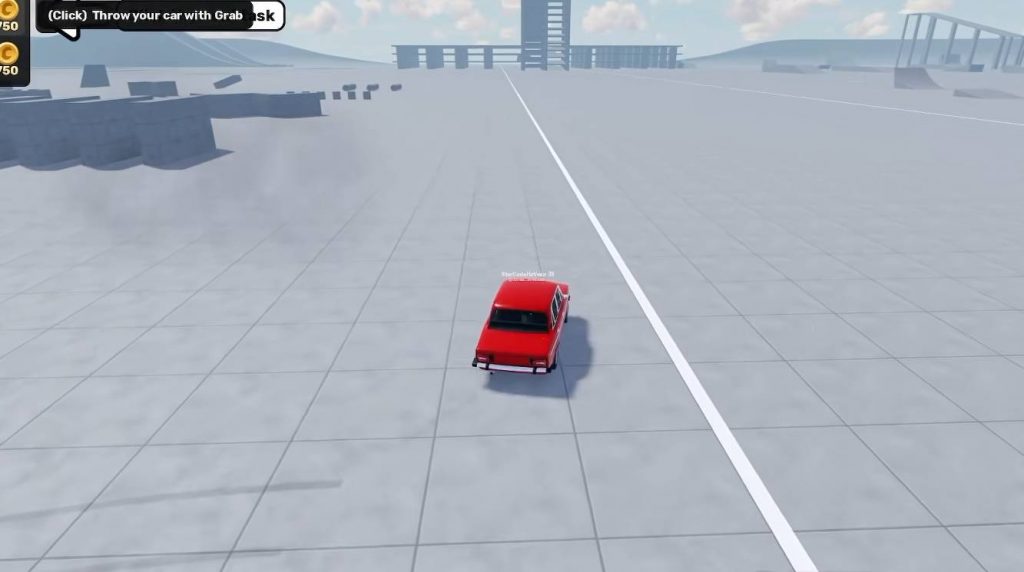
Crash Engine is a Roblox simulator focused on realistic car crashes and soft-body physics. Instead of simply driving around, you can smash your vehicle into different objects and watch its parts bend, break, and fall apart based on the impact. The game also lets you experiment with different crash setups, build speed pads, and unlock better vehicles as you earn more money.
If you are just starting out, knowing how to earn money quickly can help you purchase better cars and create more interesting crashes. This guide covers the best ways to make money, how to use the Grab feature, crash ideas, and other useful tips to help you get started in Crash Engine.
How to Get Money Fast in Crash Engine
There are several ways to earn money in Crash Engine, but completing tasks regularly is one of the most reliable methods. You can earn cash by crashing your vehicle and completing the objectives displayed in the top-left corner of your screen.
Daily tasks appear every few minutes, giving you another opportunity to earn money while playing. Make sure you check these objectives frequently because they can direct you toward specific activities or locations.
Here are some ways to earn money:
- Complete Tasks: Check the task list in the top-left corner and complete the available objectives. These tasks are one of the easiest ways to earn regular cash.
- Crash Your Car: Drive into objects, barriers, and other obstacles to create crashes. You can earn money while experimenting with different crash setups.
- Use Speed Pads: Build speed pads to increase your vehicle’s speed before hitting an obstacle. Faster impacts can help you create more dramatic crashes.
- Keep Playing: Continue completing objectives while testing different vehicles and crash locations to build up your cash.
The best approach is to combine regular crashing with task completion. Instead of spending all your time trying to find one money-making trick, keep checking the available objectives and complete them whenever possible.
How to Use Grab Mode in Crash Engine
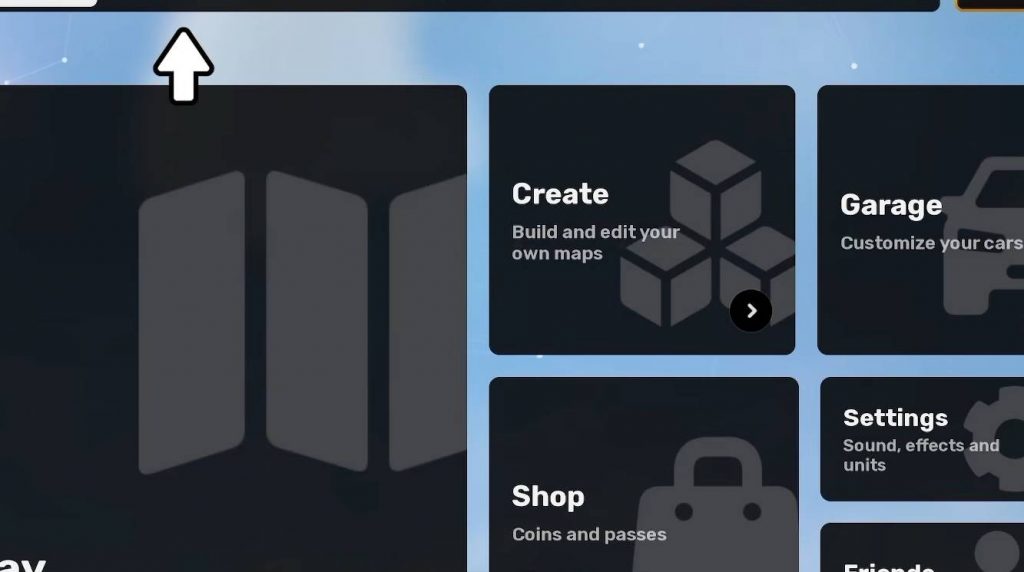
Grab Mode is a useful feature that lets you interact with your vehicle directly. You can activate it through the Grab control located in the top-right corner of the screen. Once enabled, you can grab your car and move it around to create different types of crashes.
This feature is useful when you want to experiment with unusual crash angles or smash your vehicle without driving it normally. You can also use it to position your car near obstacles before releasing it.
To use Grab Mode:
- Launch Crash Engine and enter the game.
- Find the Grab button in the top-right corner.
- Click the button to activate Grab Mode.
- Select and grab your vehicle.
- Move the car around and release it to create a crash.
Experiment with different positions and angles to see how the vehicle reacts. Since Crash Engine uses soft-body physics, the results can change depending on how your car hits an object.
How to Build Speed Pads
Speed pads are another useful feature for creating bigger crashes. They help your vehicle gain speed before reaching an obstacle, allowing you to test how much damage different impacts can cause.
You can build speed pads through the Pads menu. Place them along your driving route and make sure your car passes over them before reaching the crash area.
Follow these steps to use speed pads:
- Open the Pads menu.
- Select the Speed Pad option.
- Place the speed pad on the ground.
- Position your vehicle before the pad.
- Drive over it to gain speed.
- Continue toward an obstacle and watch the crash.
You can also experiment by placing multiple speed pads in different positions. This gives you more ways to control your vehicle’s movement and attempt stunts such as flips, spins, and other unusual crashes.
Can You Make Money AFK in Crash Engine?
There is a possible way to automate repeated crashes using a macro on PC. The basic idea is to record your driving actions, let your vehicle crash, repair it, and repeat the same sequence automatically.
To try this method, you would need a macro tool that supports recording and continuous playback. The general process involves recording your vehicle driving into an obstacle, pressing the repair or restart key, and returning to the starting position.
However, this method is not completely reliable. The recording can become inaccurate if your vehicle respawns in a different position or the game behaves unexpectedly. It may also stop working if the macro fails to repeat the correct actions.
Because of these issues, using a macro is not the most reliable way to earn money. Completing the game’s regular tasks manually is a better option if you want consistent progress.
Best Crash Ideas to Try in Crash Engine
One of the most entertaining parts of Crash Engine is experimenting with different ways to destroy your vehicle. You do not always need to drive straight into a wall. Using speed pads and different angles can create more interesting results.
Here are a few crash ideas worth trying:
- 360-Degree Stunt: Use speed pads to build momentum and attempt a full rotation before landing.
- Multiple Speed Pads: Place several speed pads along your route to experiment with different speeds and jumps.
- High-Speed Impact: Build up as much speed as possible before crashing into a large obstacle.
- Side Impact: Approach an obstacle from the side to see how the vehicle’s body reacts to the collision.
- Different Crash Angles: Change your approach and test how different impact positions affect the damage.
You can also try using Grab Mode to position your car before performing a stunt. Since the physics can produce different results, experimenting with your setup is part of the fun.
How to Find the Underground Area in Crash Engine
Crash Engine also has an underground area that you can explore. Finding it is fairly simple once you know where to look, as the entrance is connected to a large tunnel.
To reach the underground area, make your way toward the big tunnel on the map. Follow the route through the tunnel until you reach the underground location.
You can also use the game’s teleport feature to get there more quickly if it is available. This saves you from having to drive all the way to the entrance every time you want to visit the area.
More Tips and Tricks for Crash Engine
If you want to make progress while enjoying the game’s physics system, there are a few things worth remembering. Crash Engine is designed around experimentation, so you do not need to focus entirely on earning money or unlocking every vehicle as quickly as possible.
Here are some additional tips:
- Check Tasks Often: New objectives appear regularly, so check the top-left task list every few minutes.
- Experiment With Vehicles: Try different cars to see how their bodies react to crashes.
- Use Speed Pads: They are useful for creating more powerful impacts and testing different stunts.
- Try Grab Mode: Move your vehicle manually to experiment with unusual crash positions.
- Explore the Map: Look for tunnels and other areas that offer different places to test your vehicles.
- Save Money for Better Cars: Keep completing tasks so you can eventually purchase vehicles with which to experiment.
Crash Engine offers plenty of ways to experiment with realistic car physics, from high-speed collisions to unusual stunts using Grab Mode and speed pads. If you want to earn money faster, completing the regular tasks is the most reliable method, especially since new objectives appear every few minutes.
You can also try different crash setups, explore the underground area, and unlock better vehicles as you progress. Rather than focusing entirely on farming money, spend some time experimenting with the game’s physics and finding your own favorite ways to crash.
Crash Engine