


Apple iPad Original Guide: Codes, How to Use, and All Features in Roblox!
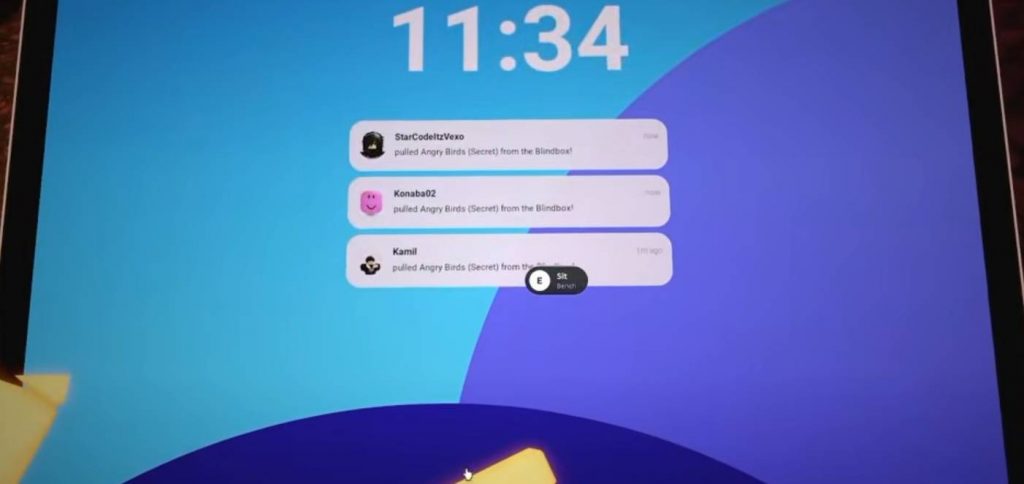
Apple iPad Original is a Roblox experience that lets players use a virtual iPad with various apps, games, and useful features. You can explore its interface, collect coins, unlock games, take pictures, send messages, and try other activities that work similarly to using a real iPad.
If you are new to this experience, there are several things worth learning before you start. This guide covers how to use the iPad, redeem codes for free coins, unlock games, and explore the different apps available in Apple iPad Original.
How to Use the iPad in Apple iPad Original
When you first enter the game, you will have access to a phone and an iPad. To start using the iPad, simply open it and swipe up to access its main screen. The interface includes several apps that you can open and use for different activities.
The iPad works similarly to a regular tablet, with options for games, pictures, messages, settings, and more. You can tap an app to open it, switch between applications, and close tabs when you finish using them. Take some time to explore the available icons because each app has its own function.
Apple iPad Original Codes and How to Redeem Them
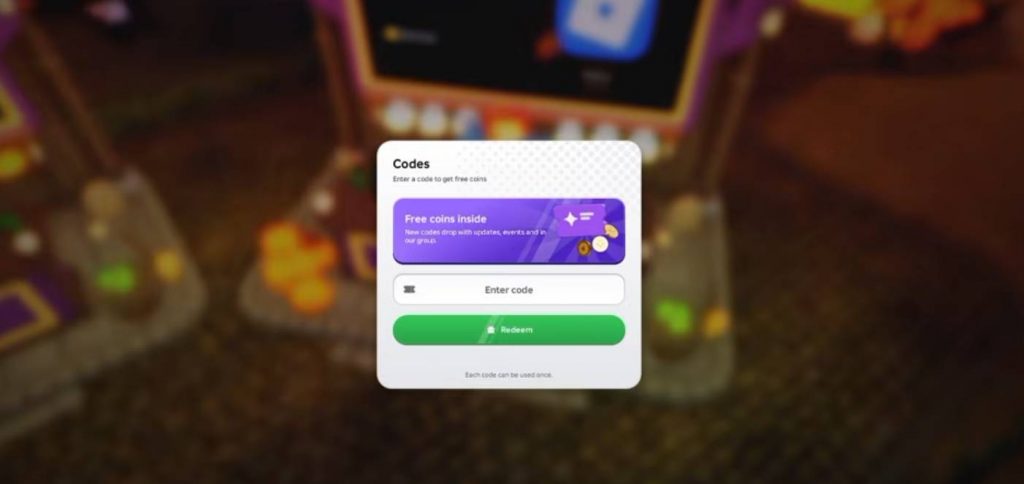
Codes are useful in Apple iPad Original because they can reward you with free coins. You can use these coins to access the game’s gacha system and try to unlock additional games. Redeeming available codes early is a good way to get started without relying entirely on the coins you earn through daily rewards.
To redeem a code, open the Codes menu in the game and enter an available code in the redemption box. Confirm your entry to receive the reward if the code is still active. Keep in mind that codes can expire, so an older code may no longer work.
Apple iPad Original Codes
Here are the codes mentioned in the gameplay guide:
• 1MVISIT (or 1 Million Visit): 2,500 Coins
• 900KVISIT: Free Coins
• 6MVISIT: Free Rewards
• 9MVISIT: Free Rewards
Code availability can change after updates. If a code does not work, check its spelling and try again. You can also look for new codes released by the developers through the game’s official community channels.
How to Get More Coins
Coins are an important resource in Apple iPad Original because they allow you to access more content. One of the easiest ways to collect coins is by claiming your daily rewards. Make sure to check the reward menu whenever you log in, as these free rewards can help you build up your balance.
You should also redeem any active codes before spending your coins. Once you have enough currency, you can use it to open the game’s gacha system and try to unlock different games. Saving coins for multiple attempts can be useful when you are trying to obtain a specific game.
How to Unlock Games in Apple iPad Original
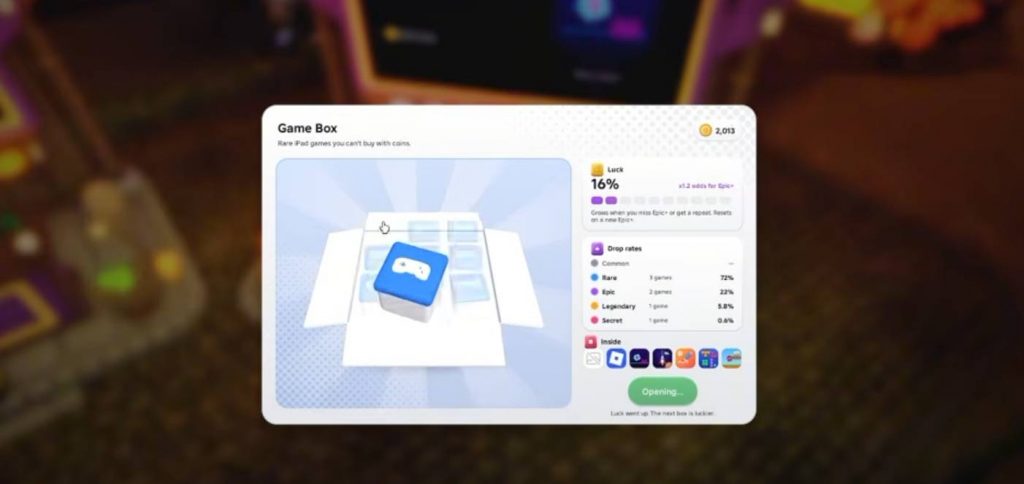
The game features a gacha system that lets you spend coins to obtain different games. After opening the game box, you can use the available currency to roll for a random reward. Each attempt may give you a different game, so unlocking a particular one can take several tries.
Some games are harder to obtain than others because they belong to the Secret rarity. Roblox is one of the games mentioned as a Secret reward, which means you may need patience and multiple attempts before getting it.
How the Luck System Works
Apple iPad Original also has a luck system that can improve your chances of obtaining rare games. According to the gameplay demonstration, repeatedly receiving the same game increases your luck percentage. This can make it easier to obtain Secret games over time.
For example, the player in the demonstration reached 16% luck after receiving repeated copies of the same game. However, increased luck does not guarantee that you will immediately obtain the game you want. Keep opening the game box and check your available rewards until you find your target.
How to Play Unlocked Games
Once you obtain a game, open your collection and select the game you want to use. Press the Get option when available to access it. After unlocking Angry Birds in the demonstration, the player was able to launch it and play a version that resembles the original tablet game.
The same general process applies when you unlock other games. Keep collecting coins and using the gacha system to expand your collection. If you are specifically looking for Roblox, remember that it may take additional attempts because of its Secret rarity.
How to Take Pictures Using the Camera
The Camera app lets you take pictures of characters and other things in the game. Open the app, point it toward your chosen subject, and take a picture. The resulting images can then be viewed through the Photos app.
This feature gives you a way to save moments from your gameplay. Depending on the available options, you may also be able to share pictures with other players. Try taking pictures of friends or interesting locations and check your photo collection afterward.
How to Send Messages to Other Players
Apple iPad Original includes a messaging feature that allows you to communicate with other players. You can open the messaging app, select another player, and send a message such as a simple greeting.
However, messaging may depend on the recipient’s Roblox chat settings. If another player cannot receive your message, their communication settings could be preventing it. You can also check whether the game supports sending pictures through its messaging interface.
How to Use the Browser and Other Information Apps
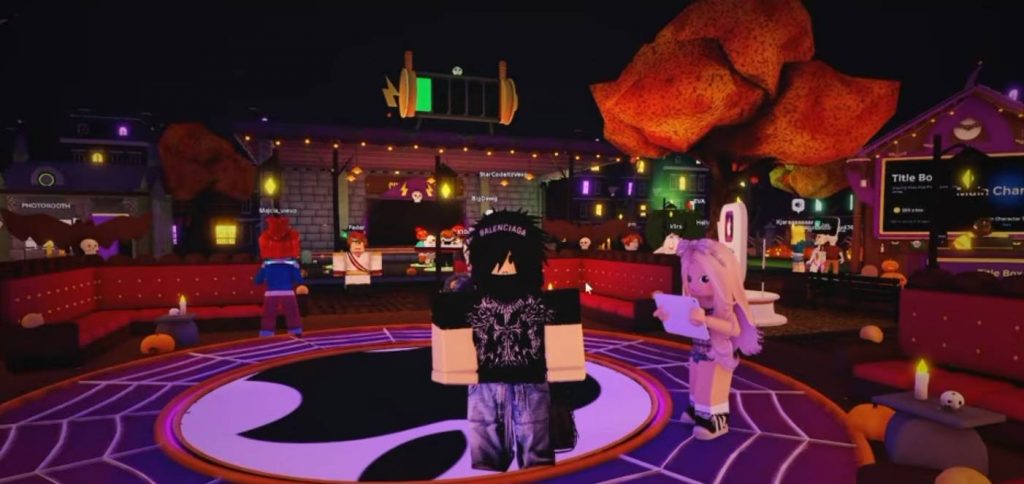
The virtual iPad includes browser-style features and information apps. The gameplay demonstration shows options associated with Google, Roblox.com, Wikipedia, and weather information. These apps give the tablet a more realistic interface and provide additional activities to explore.
Some features may work differently from their real-world counterparts because they are part of a Roblox experience. Open each available app to see what it offers, and do not assume that every website or external service will function exactly as it does on a real device.
How to Use Maps in Apple iPad Original
The Maps app provides a way to explore different locations within the game. It can show places that players can visit and information about where people are located in the virtual environment.
This feature can be useful when you want to understand the game’s layout or find areas worth exploring. Open Maps from the iPad’s main screen and check the available locations. The information displayed depends on the features implemented in the experience.
How to Use the Music App
Apple iPad Original also includes a music feature, but access may require the AirPods Game Pass. This means you might not be able to use every music-related option for free.
If you want to listen to music through the virtual tablet, check the game’s available passes and their descriptions before purchasing anything. Make sure the pass includes the feature you want, since access requirements can change when the developers update the experience.
How to Draw Using ibis Paint
Players who enjoy drawing can try the ibis Paint app included in the virtual iPad. Open the app to access its drawing interface, where you can create artwork using the available tools.
After finishing a drawing, check whether the game allows you to save it to Photos or share it with other players. This feature adds a creative activity to the experience, letting you do more than collect and play games.
How to Use FaceTime
The FaceTime feature lets players interact with other characters through a video-call-style interface. You can select a player and initiate a call if the feature is available.
Voice communication may depend on Roblox voice chat availability and the relevant account settings. If voice chat is unavailable, you might still be able to explore the other features on the iPad. Always check the communication options provided by the game before expecting every call feature to work.
How to Use the Calculator
The Calculator app works as a simple utility within the virtual tablet. Open it from the home screen to access its calculation interface.
Although it is a smaller feature compared with the games and social apps, it helps make the iPad feel more like a real device. You can explore the calculator alongside the other applications to see how closely the game’s interface resembles an actual tablet.
How to Give Coins to Other Players
The Wallet app provides an option for transferring coins to other players. This can be useful if you want to share your in-game currency with friends rather than spending everything on your own collection.
Open the Wallet app and check the available transfer options. Make sure you select the correct recipient and review the amount before confirming a transfer. The exact requirements and available options may depend on the game’s current version.
How to Check Emails and Game Updates
The virtual iPad includes an email feature that can display updates and information about newly added content. Checking this app may help you keep track of changes made to Apple iPad Original.
If the developers use the email interface to announce updates, it can be a convenient place to look for information about new features. You should also check the game’s official announcements for details about events, rewards, and future updates.
How to Change iPad Settings and Wallpaper
You can personalize the virtual tablet through its Settings app. Open Settings from the home screen to explore the available customization options, including changing the background or wallpaper if supported.
Spend some time checking the different settings because the available options may affect how your iPad looks and behaves in the game. If you find a picture you like in your Photos app, check whether it can be selected as your wallpaper.
Apple iPad Original offers more than a virtual tablet interface in Roblox. You can redeem codes for coins, collect daily rewards, unlock games through the gacha system, take pictures, send messages, draw artwork, and explore apps such as Maps, Calculator, and Settings.
If you are just starting, claim your daily rewards and redeem available codes before spending coins on the game box. Keep in mind that rare games such as Roblox may require multiple attempts to unlock. Exploring each app is the best way to discover everything the experience has to offer.
Apple iPad Original