


How to Get 20 Tickets and the Sleep Paralysis Badge in The Hollow Roblox Event Guide
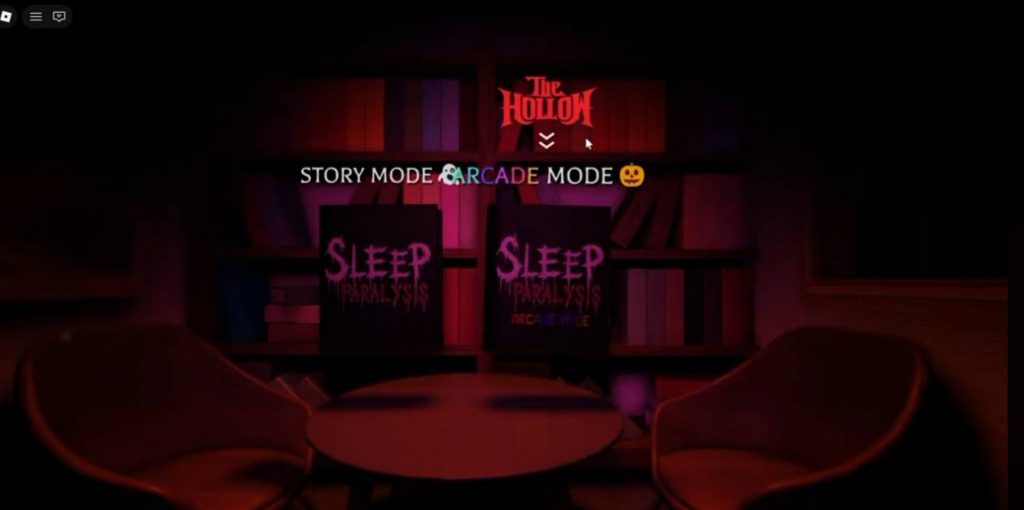
The Hollow Roblox event features several quests that reward players with badges and tickets. One of these challenges takes place in Sleep Paralysis, where you need to complete a simple generator task to earn a badge and 20 tickets. The main objective is to find gas cans and use them to fill a generator three times. Here is how to complete the quest step by step.
How to Get the Sleep Paralysis Badge
First, you need to enter the correct game mode and start a match.
- Join The Hollow event hub in Roblox.
- Find and enter Sleep Paralysis through the event’s linked game.
- Once inside, select Arcade Mode.
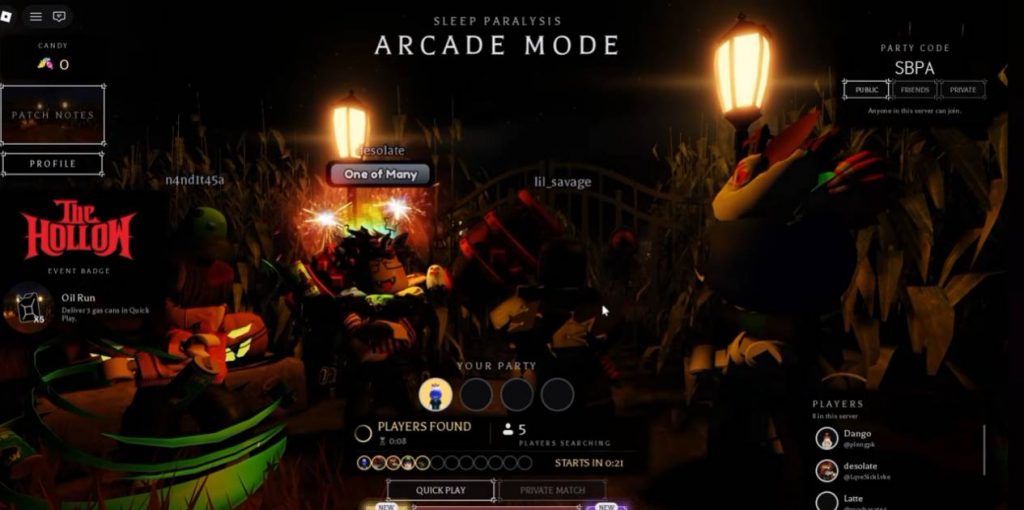
- Create your own party or join an existing one.
- If no parties are available, create a public party.
- Press Play and wait for the match to begin.
After the game starts, your objective is to locate gas cans and use them to fill the generator. Follow the instructions displayed on your screen to make the process easier.
How to Fill the Generator Three Times
1. Wait for the Gas Cans to Spawn
Once the match begins, wait for gas cans to appear around the map. Look for the glowing objects and explore the surrounding areas to find them.
The gas cans may take some time to spawn, so keep moving and watch your surroundings.
2. Pick Up a Gas Can
When you find a gas can, approach it and pick it up.
Be careful while exploring because a ghost can appear during the match. Stay alert and avoid getting distracted while searching for the items.
3. Follow the Signs to the Generator
After picking up a gas can, look for the signs or arrows pointing toward the generator.
Follow these directions until you reach the correct location. The signs should help you find the generator without having to search the entire map blindly.
4. Fill the Generator Three Times
Once you reach the generator, use your gas can to fill it.
You must repeat this process until the generator has been filled three times. If you need more gas, return to the map and search for additional gas cans.
Make sure you complete all three fillings, as this is the main requirement for earning the badge.
How to Claim the 20 Tickets
After filling the generator three times, you should receive the badge associated with the challenge.
To claim your 20 tickets, follow these steps:
- Finish the generator objective and confirm that you have received the badge.
- Leave Sleep Paralysis and return to The Hollow event hub.
- Open the event quest or reward menu.
- Find the completed Sleep Paralysis quest, which may be listed as Oil Run.
- Press the confirmation or claim button to collect your reward.
Once the quest is confirmed, you should receive 20 tickets.
Tips for Completing the Sleep Paralysis Quest
Here are a few tips to help you finish the challenge more easily:
- Choose Arcade Mode: Make sure you select the correct mode before starting.
- Follow the directions: Use the signs and arrows to locate the generator.
- Collect gas cans whenever possible: You need enough gas to complete all three fillings.
- Watch out for ghosts: Stay alert while exploring the map.
- Check your quest progress: Confirm that the generator has been filled three times before leaving.
- Claim your reward: Return to The Hollow hub after earning the badge to collect your tickets.
Getting the Sleep Paralysis badge and 20 tickets in The Hollow Roblox event is straightforward. Enter Sleep Paralysis, select Arcade Mode, find the gas cans, and fill the generator three times. After completing the objective, return to The Hollow hub and claim your reward through the event quest menu. Remember to confirm that the badge has been awarded so you can collect your 20 tickets.
RobloxSleep ParalysisThe Hollow