


911 Dispatch Guide: Beginner Tutorial and Tips for Roblox
911 Dispatch is a Roblox simulation game where you take the role of an emergency operator in Chicago. Your job is to answer emergency calls, collect information from callers, and send the correct response units to each incident. Depending on the situation, you may need to dispatch police officers, firefighters, or medical teams.
The main challenge is that not every caller will give you clear information. Some people may panic, hang up, or refuse to explain their location. You must learn how to handle these situations while keeping track of every active emergency. This beginner guide explains how the dispatch system works and how to complete your first calls.
How to Start Playing 911 Dispatch
When you enter the game, you will need to set up your operator before starting your shift. The interface shows details such as your Operator ID, position, current shift, and incoming calls. Once everything is ready, click Sign On to begin working.
You will then enter the dispatch interface, where you can monitor the city map and receive emergency calls. A short training session will help you understand the basic controls, but learning how to identify incidents and choose the correct units is important for handling calls efficiently.
Understanding the Dispatch Map
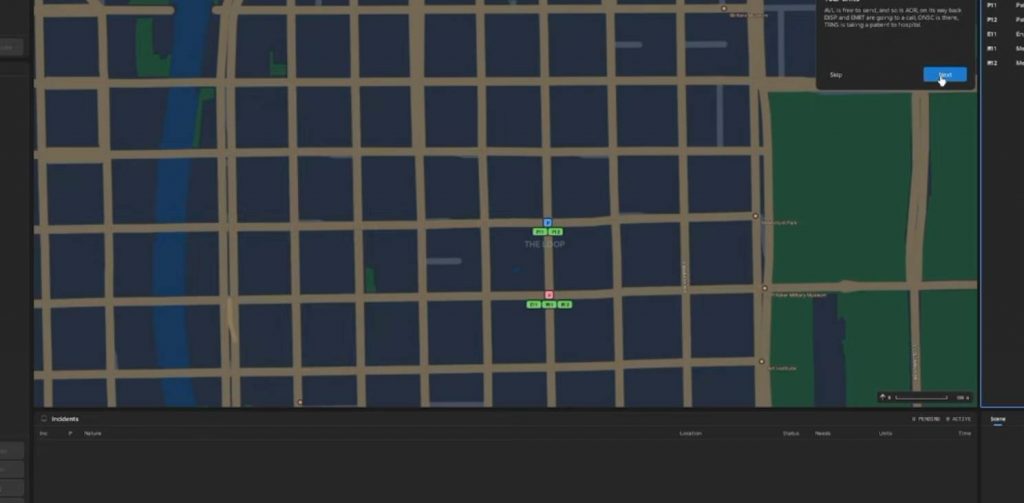
The map is one of the most important parts of 911 Dispatch because it shows where emergency services are located and where they need to go. You can use it to track units, check stations, and identify the location of incoming incidents. Learning the map icons will make it easier to send the right team without wasting time.
Here are some important map symbols:
- P: Police station.
- F: Fire station.
- H: Hospital.
- P11: A police patrol unit.
- M11: A medical unit.
Different units have different responsibilities, so always check the unit information before dispatching them. Sending the wrong team can delay the response and make it harder to complete an emergency call.
How to Answer Emergency Calls
When someone contacts 911, a phone notification will appear at the top-left corner of your screen. Click the incoming call to answer it and begin speaking with the caller. You should start by asking what happened and where the incident is located.
A simple way to handle an incoming call is to follow these steps:
- Click the incoming phone call.
- Answer with a suitable emergency greeting.
- Ask the caller for their location.
- Find out what happened.
- Ask about injuries or other important details.
- Create an incident based on the information.
- Select the correct emergency unit.
- Set the priority and dispatch the unit.
- Tell the caller that help is coming.
Getting the location is especially important because emergency units cannot respond properly without knowing where to go. Try to collect as much useful information as possible before creating the incident.
How to Create and Dispatch an Incident
After gathering information from the caller, you need to create an incident in the dispatch system. Select the appropriate emergency category, enter the location, and choose a priority level based on the situation. You can then select the unit that should respond.
For example, if someone falls from a ladder and lands on concrete, you should ask about their injuries. If they report that they cannot feel their foot, this is a medical emergency that requires an ambulance or medical unit. Create a foot injury incident, assign a suitable priority, and dispatch the medical team.
Once the unit is on its way, tell the caller that help is coming. You can then watch the unit travel across the map until it reaches the reported location. After the response is completed, you can release the call and move on to the next emergency.
How to Handle Callers Who Do Not Give Their Location
Not every caller will cooperate when you ask for their location. Some may panic, become impatient, or simply tell you to send help without explaining where they are. This can make dispatching difficult because you do not have an exact address to use.
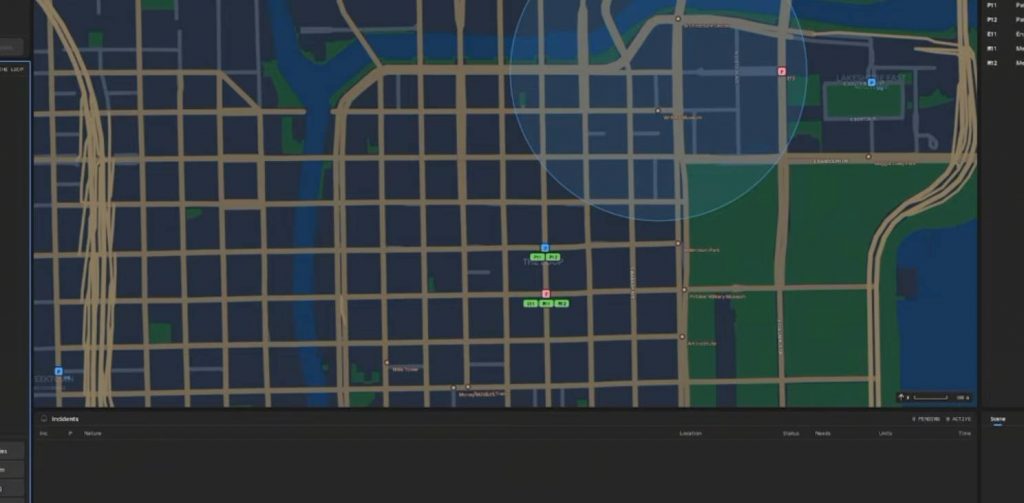
When this happens, you can use the phone ping feature to estimate the caller’s location. The map will display a highlighted circle showing the general area where the person may be. You can send a unit toward the center of that area while trying to identify the exact location.
However, do not rely entirely on the ping if more information is available. Check the call log because it may contain details about the incident and its location that were not clearly provided during the conversation.
Use the Call Log to Find Missing Information
The call log is useful when a caller does not provide enough details during an emergency. It can show information about the incident, including the type of emergency and its location. This is especially helpful when you only have a general phone ping and need to find the correct street.
For example, a caller reporting a vehicle fire may refuse to explain where the car is located. Instead of guessing where the emergency happened, open the log and check the available information. If it shows that the vehicle fire is on Randolph Street in Las Leo, you can use that location to create the incident and dispatch a fire response unit.
Always check the log before sending units to an uncertain location. It can save time and prevent emergency teams from traveling to the wrong area.
How to Choose the Correct Emergency Unit
Choosing the correct unit is a major part of your job as a dispatcher. Different emergencies require different types of assistance, and you should always consider what the caller reports before creating an incident. Medical problems need medical teams, fires require firefighters, and criminal situations generally need police officers.
Here are some basic examples:
- Medical emergencies: Send a medical unit for injuries, choking, breathing problems, and other health-related incidents.
- Vehicle fires: Dispatch a fire unit to deal with the burning vehicle.
- Criminal incidents: Send police patrol units when the situation requires law enforcement.
- Multiple emergencies: Additional units may be needed if the incident involves several problems or requires backup.
Pay attention to the caller’s description before choosing a response. For example, someone who is choking and cannot breathe should receive a medical response with an appropriate priority. Once the incident is created, dispatch the unit and inform the caller that help is on the way.
How to Complete Calls and Earn Money
After dispatching an emergency unit, you need to monitor the response until the incident is handled. The unit will travel to the location, provide assistance, and complete its assignment. Once the response is finished, you can release the call to clear it from your active workload.
Completing emergency calls rewards you with money, which can be used in the in-game store. This gives you another reason to handle calls properly instead of leaving incidents unfinished. As you complete more shifts, you will become more familiar with the different emergency types and learn how to respond more quickly.
Tips for New 911 Dispatch Players
The dispatch system may seem complicated when you first start, but most calls follow a similar process. You answer the phone, collect information, create an incident, send the correct unit, and monitor the response. The more you practice, the easier it becomes to recognize emergency types and choose the right response. Keep these beginner tips in mind:
- Always ask for the caller’s location before creating an incident.
- Find out exactly what happened instead of guessing the emergency type.
- Ask about injuries when dealing with medical calls.
- Check the map to identify available emergency units.
- Use phone pings when callers cannot provide their location.
- Open the call log to find additional incident information.
- Choose the correct unit based on the emergency.
- Set an appropriate priority before dispatching.
- Tell callers that help is coming after sending a unit.
- Release completed calls to keep your active call list organized.
911 Dispatch is all about handling emergency calls and sending the right response teams across Chicago. Your main responsibilities are to collect accurate information, identify the incident, choose the correct priority, and dispatch the appropriate unit. Learning how to use the map, phone ping system, and call log will make your job much easier.
Once you understand these basic mechanics, you can complete calls more efficiently and earn money from successful responses. Take your time during the first few shifts, pay attention to what callers say, and practice choosing the right units for each emergency.
911 Dispatch